Dark Mode and Light Mode improvements (Dark Mode 3.0)
Google Drive file link previews
Expanded options for X-axis values in line charts, including custom fields!
You can set custom field permissions when creating a new one
Launch of the new Developer Portal
Dark Mode and Light Mode improvements (Dark Mode 3.0)
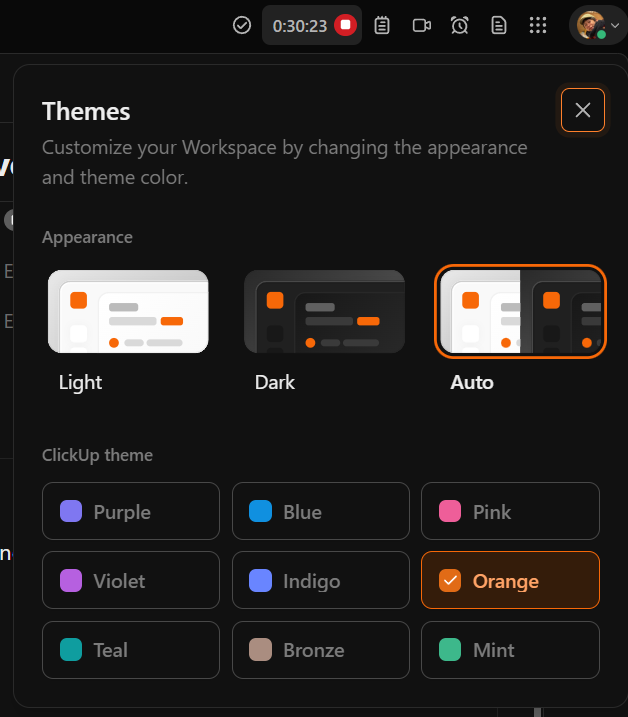
Dark Mode has been revamped for better usability, though the differences might be subtle for some users. Light Mode has also been enhanced.
Additionally, the theme switching now includes an “Auto” option, which adjusts the theme based on your OS settings.
theme setting screen
Google Drive File Link Previews
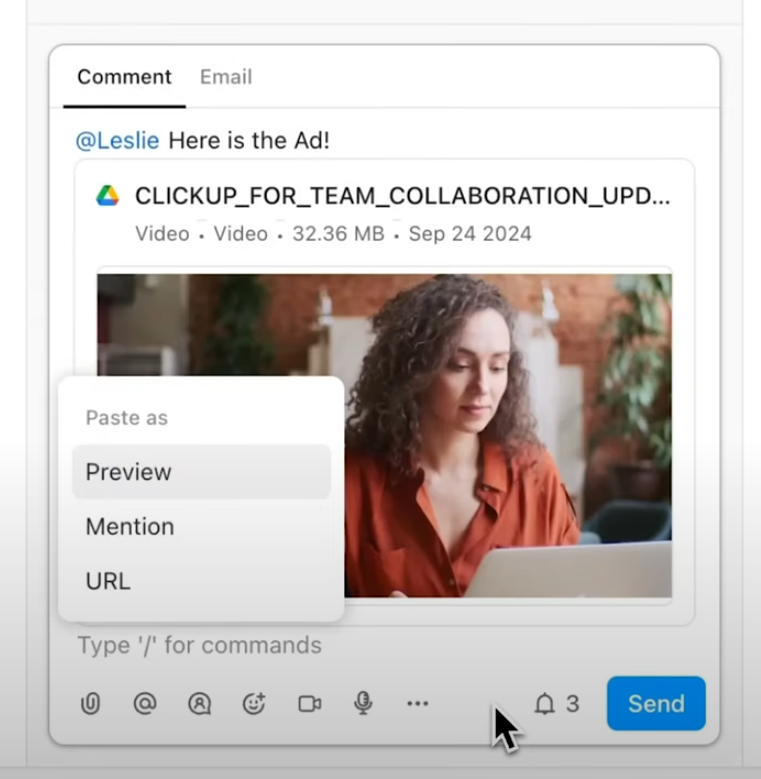
You can now preview Google Drive file links, including Google Docs, PDFs, and more. Ensure your Google Drive is connected in the App Center for this feature to work.
Preview screen for Google Drive file links Source : ClickUp Release 3.43 – YouTube (https://www.youtube.com/watch?v=I7a3JDEYBwg)
Expanded X-Axis Options for Line Charts (Including Custom Fields!)
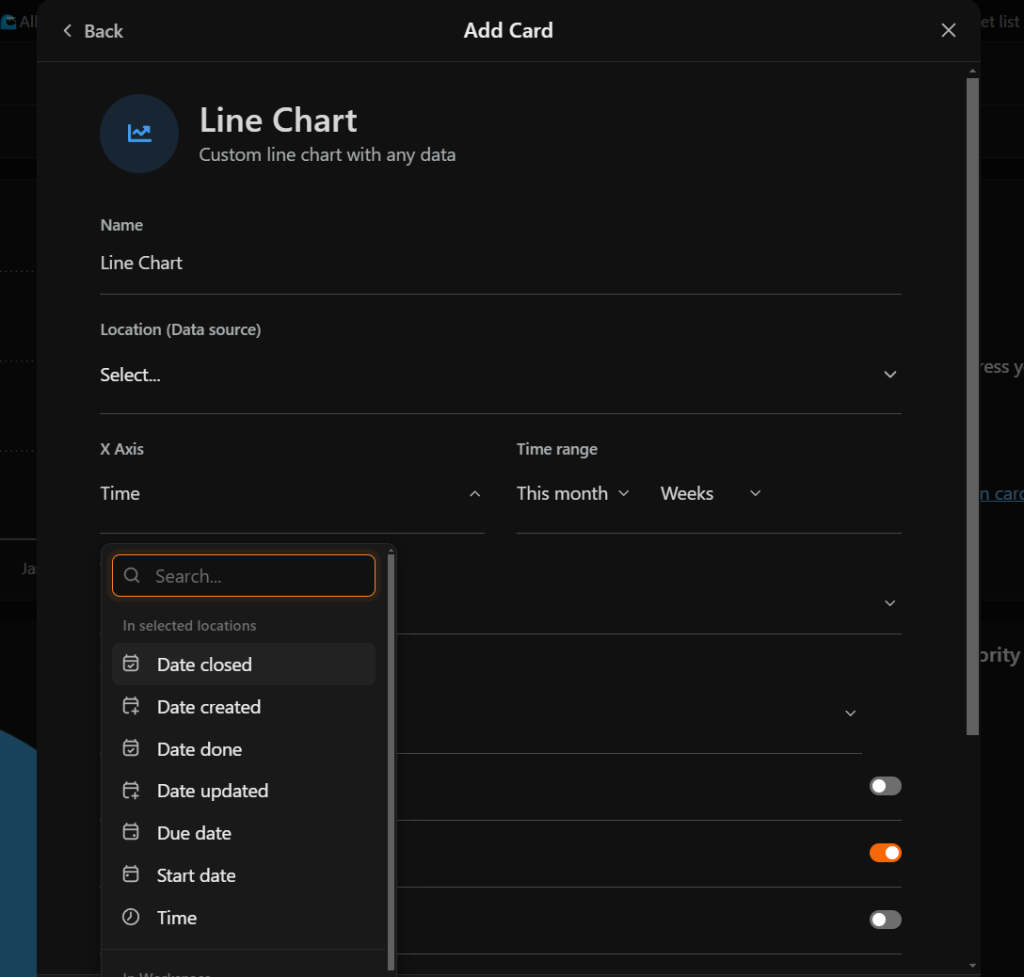
The X-axis of line charts in dashboards now supports a variety of default date fields, such as:
Closed Date
Created Date
Completed Date
Updated Date
Due Date
Start Date
The line chart settings screen now offers more date field options!
Additionally, date-format custom fields are now available, allowing for even more flexible and detailed charting.
Set Permissions for Custom Fields During Creation
Permissions for custom fields (view/edit restrictions, etc.) can now be configured when creating a new custom field, not just via the Custom Field Manager. This feature is available for Business Plus plans and above.
Experienced in various creative productions such as magazine, video, and web production, advertising, sales promotion.
Currently, I am engaged in these fields as a freelance with a business name of Zatta Production.
This site introduces useful services that I've used or discovered.