

What is MEGA?
This time, I’d like to introduce MEGA, a generous storage service that offers 20GB free storage.
I first learned about MEGA around 2016, based on my file property on the platform. At the time, they offered 50GB of free storage, which immediately caught my attention.
Back then, it didn’t seem like a mainstream service, so I worried about what would happen if it shut down. I mainly used it for personal file backups, and fortunately, the service is still active today, with additional features being introduced.
One of its unique features is its calling functionality.
And yes, there’s also a smartphone app.

Basic Information about MEGA
| Product Name | MEGA |
| Company | MEGA Ltd. |
| Official Website | https://mega.io/ |
| Launch Year | 2013 |
| Free Plan | Available |
Overview
MEGA is a cloud storage service provided by MEGA Limited, a company based in New Zealand.
The name “MEGA” stands for “MEGA Encrypted Global Access.”
The service can be accessed via web browsers and mobile applications.
Launched in 2013, MEGA isn’t very well-known in Japan. However, its initial offering of 50GB of free storage caught the attention of those following the trends in cloud storage services, making it an appealing option for them at the time.
Below is an article to show how rapidly MEGA raised their users. I list both English and Japanese ones.


Although the initial 50GB has been reduced, the free plan currently offers 20GB of storage.
One of MEGA’s notable features is its use of end-to-end encryption, emphasizing security as a key strength of the service.
End-to-end encryption (E2EE) is a method of implementing a secure communication system where only communicating users can participate. No one else, including the system provider, telecom providers, Internet providers or malicious actors, can access the cryptographic keys needed to read or send messages.
Source : End-to-end encryption – Wikipedia (https://en.wikipedia.org/wiki/End-to-end_encryption)
It offers rare features for a cloud storage service, such as video calling and voice calling.
Google Trends Data
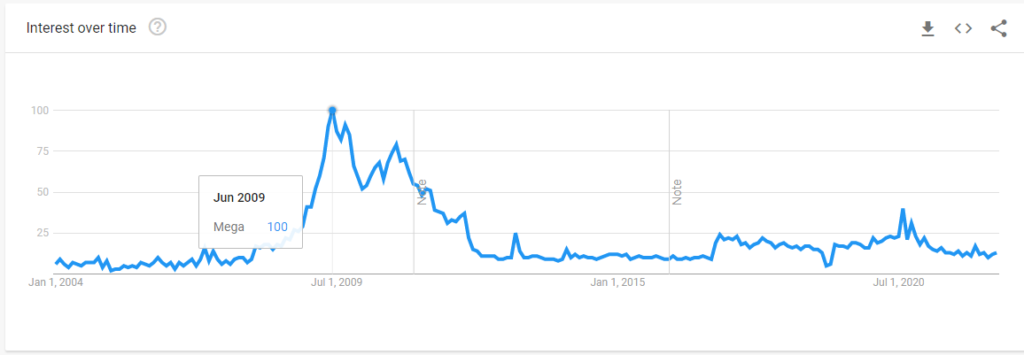
Japan
Worldwide
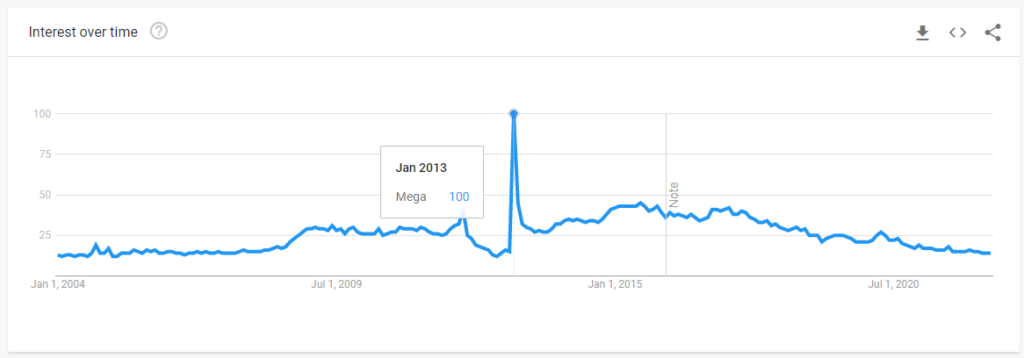
The peak in searches for “Mega” in Japan in 2009 seems to refer to something different from the MEGA service introduced in this article.
How Many Users?
As of 2018, the official blog announced that the number of registered users had surpassed 100 million.
(The page seems to have been removed since then.)
What MEGA Can Do
Overview
MEGA offers features that hold their own against well-known services like OneDrive, Google Drive, and Dropbox.
- Secure cloud storage and fast file transfers
- File sharing
- Desktop and cloud file synchronization
- Access permissions
- Protection against data loss from ransomware attacks
- Version control and recovery
- Chat functionality, video calls, and voice calls
- Two-factor authentication
Intuitive and Smooth User Experience
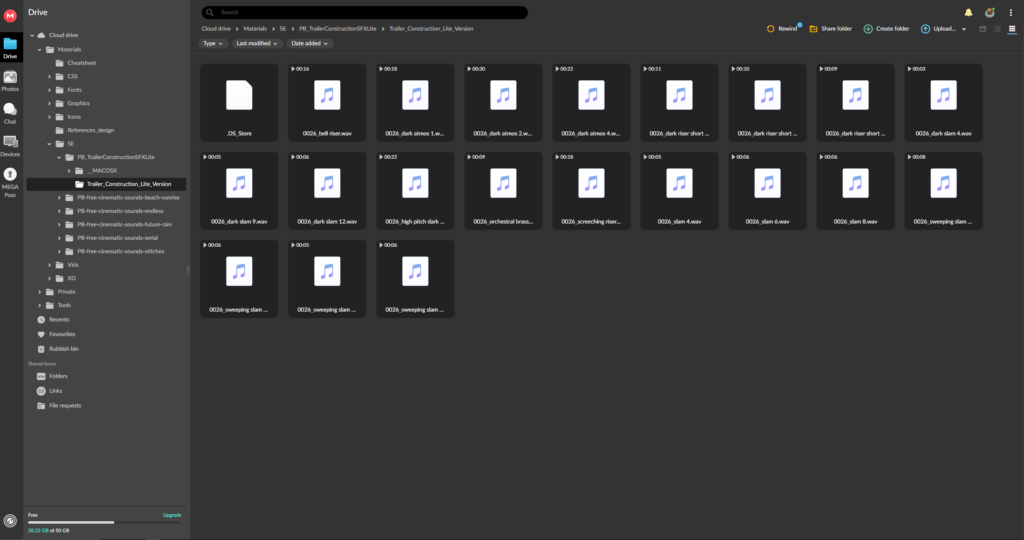
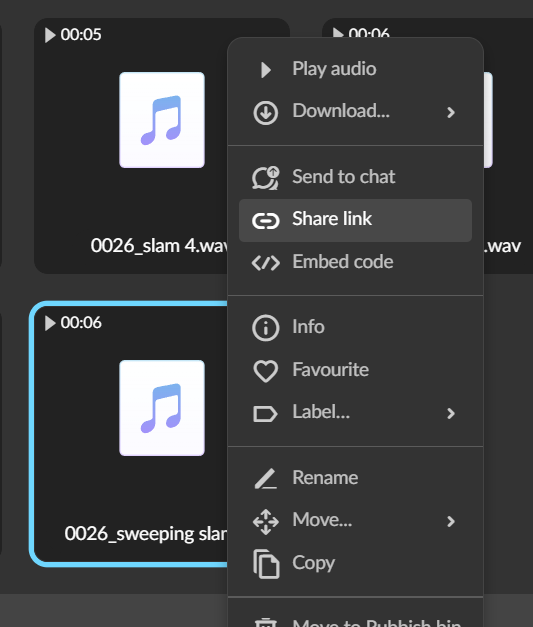
File Sharing and Centralized Link Management
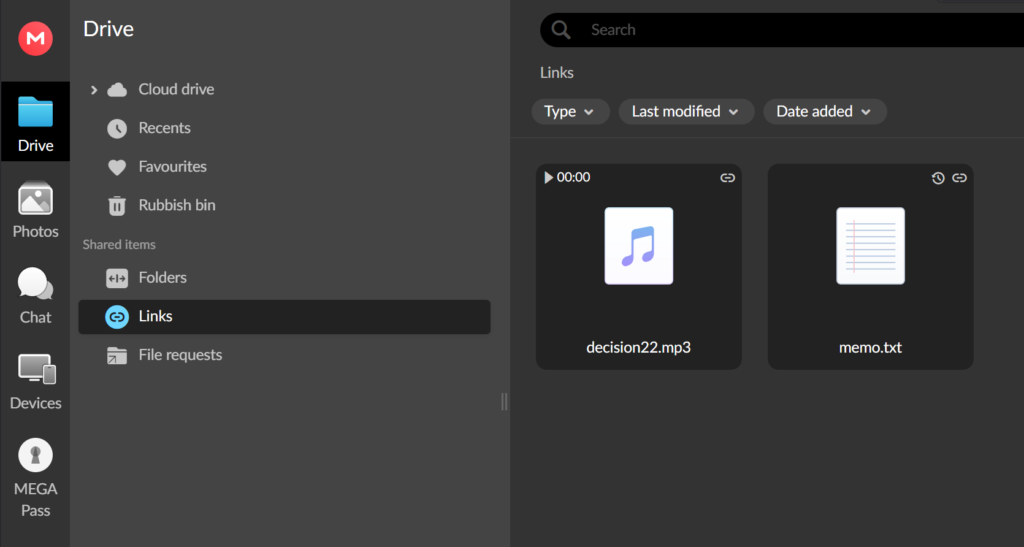
You can create sharing links for any file. The created links are managed centrally in the “Links” section, allowing you to quickly see which files are shared.
This is a handy feature for easily identifying shared files.
In the Pro version, you can set link expiration dates and passwords.
Chat, Video Calls, and Voice Calls
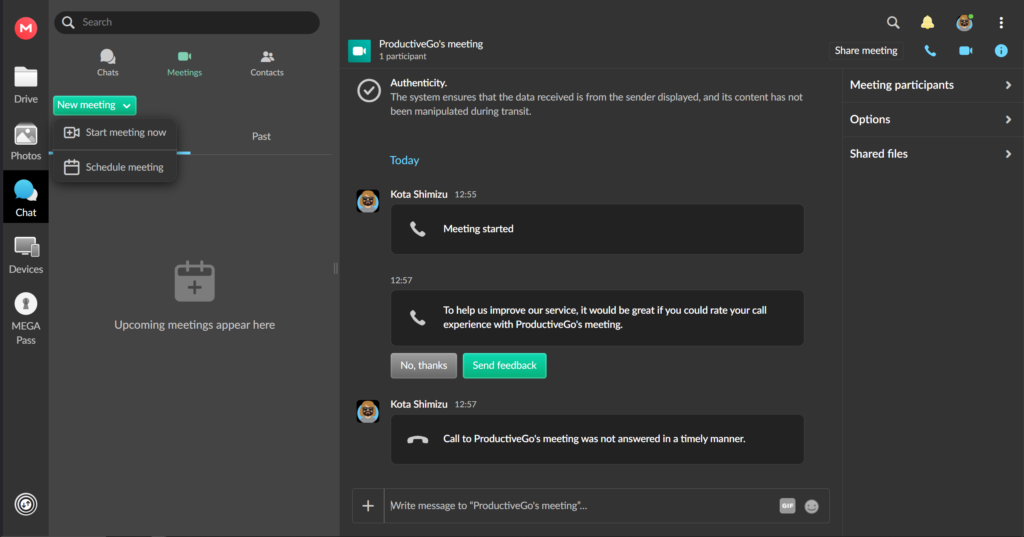
You can invite other users for seamless communication.
It is quite rare for a cloud storage service to provide video and voice call features.
Version Control and Recovery
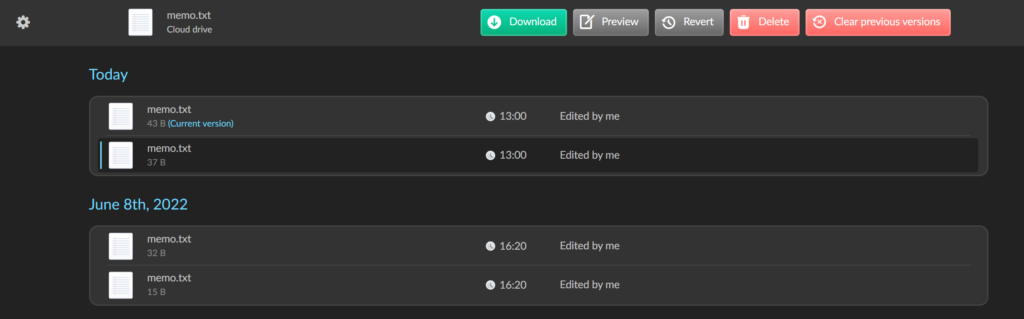
File change histories are saved, and you can restore previous versions when needed.
Security Features
Even the free plan allows for two-factor authentication.
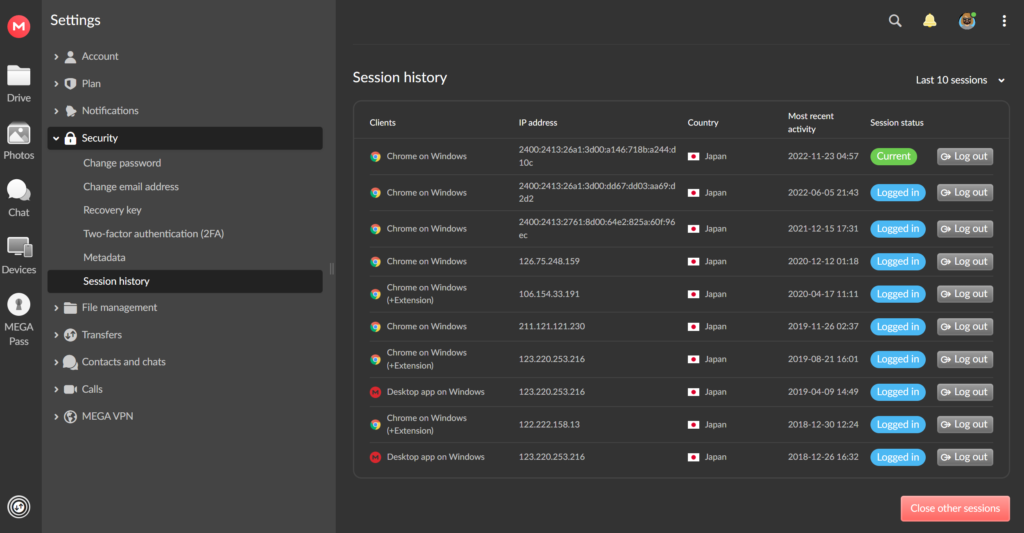
Session history is saved, and you can log out of suspicious sessions if you notice unauthorized access.
How I Use
Personally, I don’t use MEGA as my main storage or for work purposes. Instead, I use it as a backup storage for personal files.
With 20GB available for free, it could be a great option for backing up various personal items.
Since the storage capacity is quite large, it might also be a good idea to use MEGA as a secondary backup while maintaining your main backup elsewhere.


