

What is Box?
Basic Information
| Product Name | Box |
| Company | Box, Inc. |
| Official Website | https://www.box.com/cloud-storage |
| Launch Year | 2005 |
| Free Plan | Available |
Overview
Box is a cloud-based content management, collaboration, and file-sharing service.
It is developed and provided by Box, Inc., headquartered in Redwood City, California.
The company raised approximately $500 million in funding rounds and went public in 2015.
In addition to basic online storage functions, Box allows you to comment on files, share them, apply workflows, and configure security settings.
One of its key strengths is its workflow automation feature, “Box Relay”, which helps streamline processes like document approvals, equipment requests, and sales activities.
If you’re familiar with Power Automate, the workflow automation service included in Microsoft 365, you’ll find it easy to imagine how Box Relay works.
Examples of how to use Box Relay will be explained later.
Additionally, Box offers robust electronic signature capabilities and an administrator console, making it highly suitable for organizational use. In fact, I’ve seen it utilized by large enterprises as a file-sharing tool both within and outside their organizations.
Google Trends Data
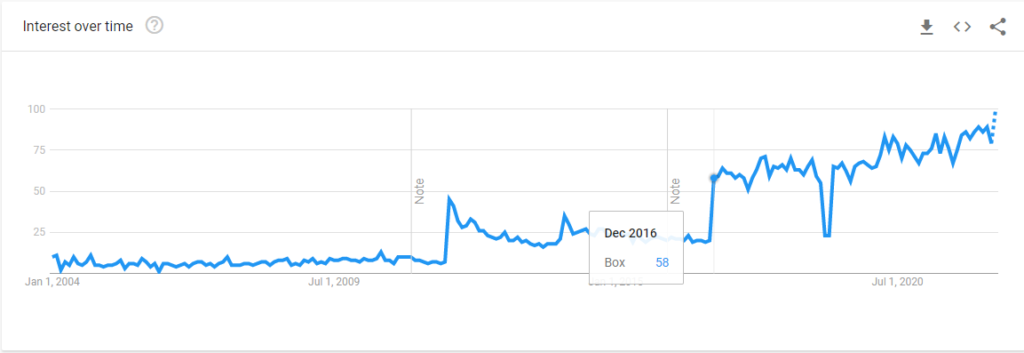
Japan
Worldwide
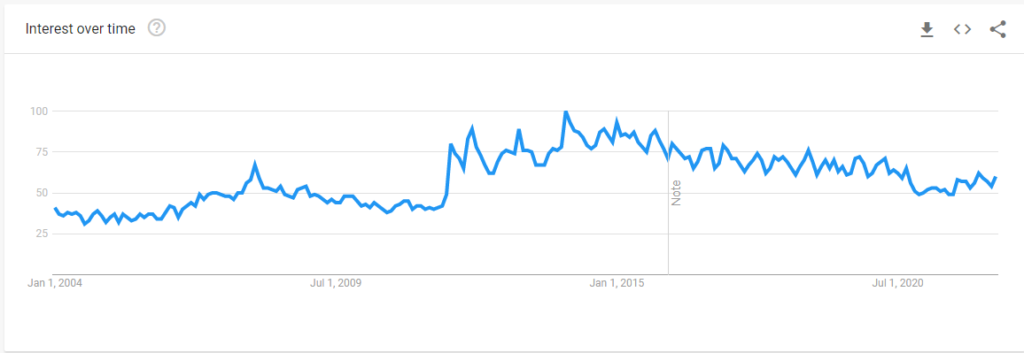
In Japan, it seems that Box gained significant interest again in 2016.
How Many Users?
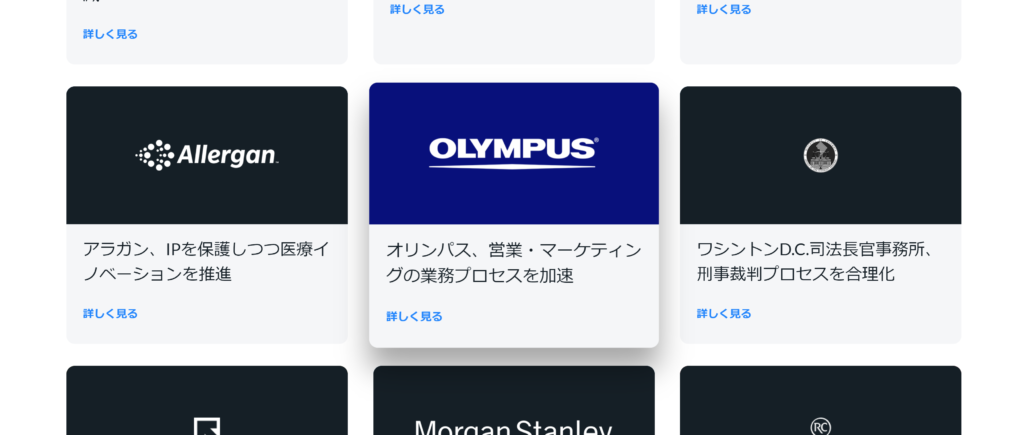
According to the official Japanese website, Box has over 100,000 customer companies, with 67% being Fortune 500 companies.
Famous companies such as Olympus and Symantec use Box, and it is also widely adopted by large enterprises in Japan.
What Box Can Do
Overview
Box offers a comprehensive range of cloud storage functionalities and includes additional features that are helpful for business use.
The features listed below include those from add-on products associated with Box. Whether these features are available to you depends on your plan or subscription details, so please refer to the official website for more information.

- Integration with Over 1,500 Tools: Seamless compatibility with major tools like Zoom, Slack, Microsoft 365, and Google Workspace.
- Box Shield:Automatic Classification of Sensitive Data
- Box Shield:Immediate Access Blocking: Detect suspicious activity and block content access at any time through the company’s security department.
- Box Shield:Flexible and Detailed User Permissions: Seven levels of permissions, device trust, and application control.
- IT & Admin Console:Holistic Visibility of Content Usage: Gain a comprehensive view of how content is accessed, shared, and used within and outside the organization, supporting IT administrators.
- Box Canvas: A whiteboard feature enabling real-time collaboration.
- Box Relay: Workflow automation functionality.
- Box Notes: A collaborative document creation tool.
- Box Sign: Electronic signature functionality.
Intuitive File Operations
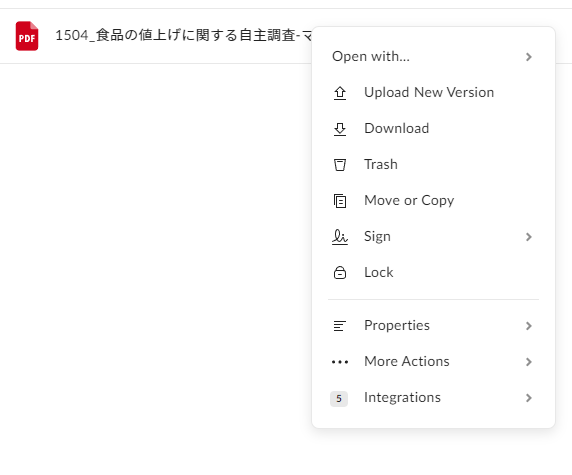
Similar to other cloud storage services, you can access various menus with a right-click.
Integration with Third-Party Apps
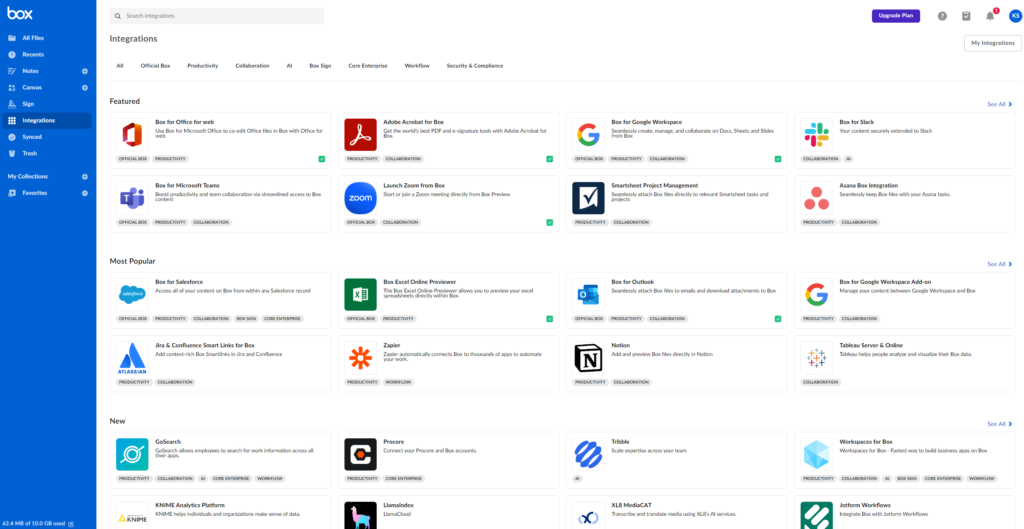
Integration with various third-party apps is available. These apps can be found and added directly from the “Integrations” menu in the admin console.
Note that the “Integrations” menu was previously called “Apps.”
Collaborative Document Creation Tool – Notes
Box includes a feature called Box Notes, which allows you to create documents directly within the platform, similar to Dropbox’s “Paper.”
Templates are also available for various use cases.
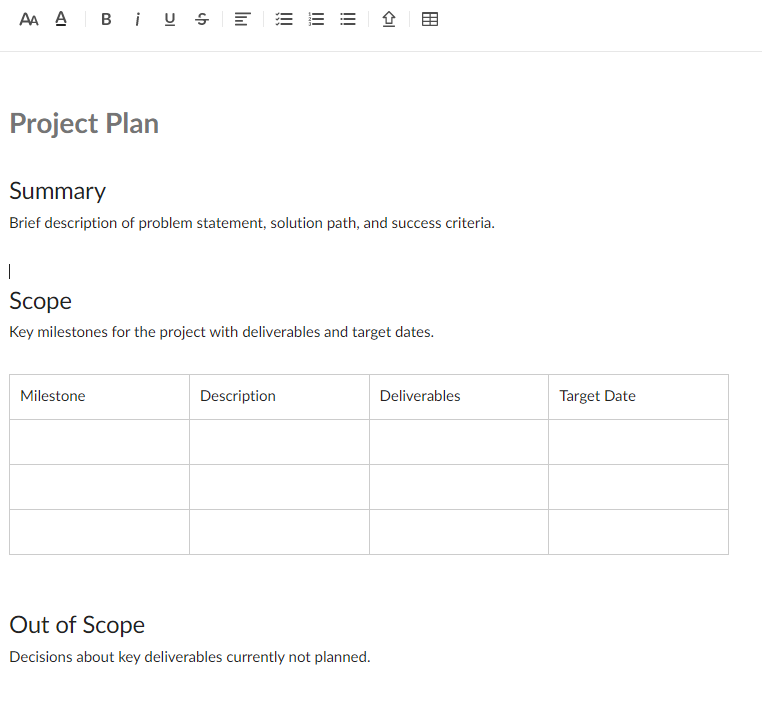

Have a look at the video below to see how Note works.
The usability is similar to Dropbox Paper. However, if we were to evaluate it purely as a markdown-supported document tool, the ranking would probably look like this: Notion > ClickUp > Dropbox Paper > Box Notes.
This ranking is based on the apps recently introduced on our site.
Although fewer people may use it nowadays, I still like Dynalist quite a bit. It would be great if its functionality could be integrated into Notion or ClickUp.
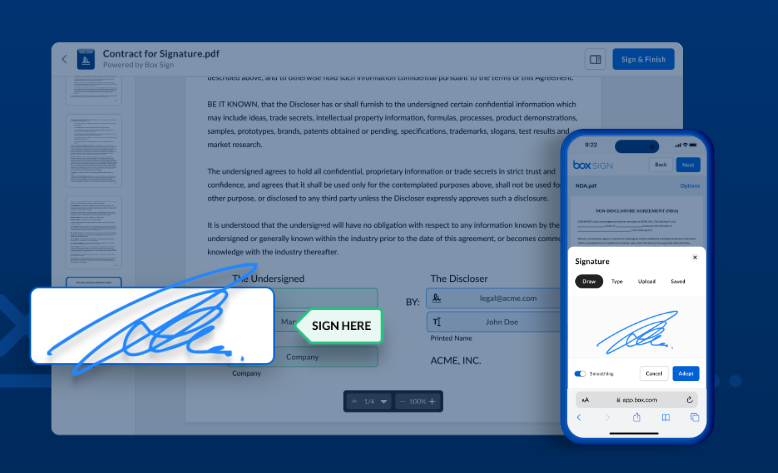
Electronic Signature Feature: Box Sign
With the Business plan or higher, you can attach an unlimited number of electronic signatures to documents directly from the web app.
Workflow Automation: Box Relay
With the Business plan or higher, you can utilize Box Relay to automate workflows.
For example, you can set up automation like below.
Let’s consider a workflow for processing invoices from external companies. Using Box Relay, you can automate the following steps in this process.
- An external company uploads an invoice to Box
- Box Relay moves the invoice to the designated folder for the point-of-contact
- Box Relay creates an “Approval Task” for the file and assigns it to the point-of-contact
- The point-of-contact reviews and approves the content
- Once approved, Box Relay moves the invoice to the folder for the accounting team
- Box Relay creates an “Approval Task” for the file and assigns it to the accounting staff
- The accounting staff reviews and approves the content
- Process completed
IT & Admin Console
It seems that Box offers robust organizational management features, such as centralized management of members and groups, as well as reporting tools. Although I haven’t personally used them, I imagine they would be quite useful for large organizations.
For more details, please refer to the following page.
Box positions itself as a service that “supports the entire content lifecycle” and offers a wealth of productivity-enhancing features centered around “files” and “folders.”
This may be one of the reasons why many companies choose to adopt Box.
Source : ビジネスの中心となるコンテンツ | Box (https://www.box.com/ja-jp/content-is-your-business)
Source : Content is your business | Box (https://www.box.com/content-is-your-business)
Whiteboard Feature – Canvas
This feature has been increasingly adopted by many services lately, and Box has included it as well.
I tried it out, and while its functionality seems comparable to tools like Miro and Figma, the slightly choppy handwriting experience stood out to me.

How I Use Box
There was a time when I used Box both personally and for work, but that was quite a while ago, and I don’t use it anymore actually.
However, since it seems to have robust automation features now, I’d like to give it another try.
Since you can start using Box with a free plan, I recommend giving it a try!


