

What is Evernote?
Today, I’m introducing Evernote, a long-established note-taking app. The service began all the way back in 2000—yes, 2000. I can’t quite remember when I started using it, but looking back at my Evernote feels like reading an old diary.
Basic Information
| Product Name | Evernote |
| Company | Evernote Corporation |
| Official Website | https://evernote.com/ |
| Launch Year | 2000 |
| Free Plan | Available |
Overview
Evernote is an app designed for note-taking, document creation, organization, task management, and storing and searching materials. As a note-taking service, it has a long-standing history.
Developed by Evernote Corporation, headquartered in California, this service allows users to create notes (pages) with text, drawings, photos, audio, or saved web content.
Notes are stored in online “notebooks,” where they can be tagged, annotated, edited, searched, attached with files, and exported.
Evernote is a cross-platform tool, available as a web client and through applications for Android, iOS, macOS, and Microsoft Windows.
Its ease of use and accessibility, even with a free plan, make it a valuable tool not only for the IT industry but also for many business professionals.
I think many users may have started using it as a web clipper.
Note: A web clipper is a service or tool used to save articles from the web.
Google Trends Data
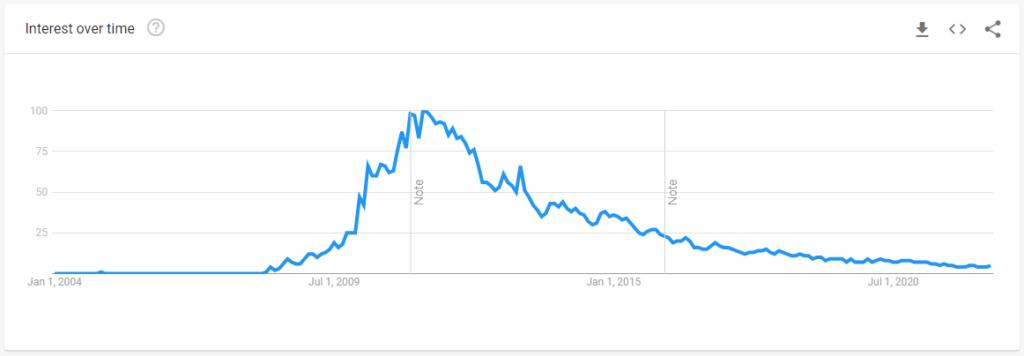
Japan
Wolrdwide
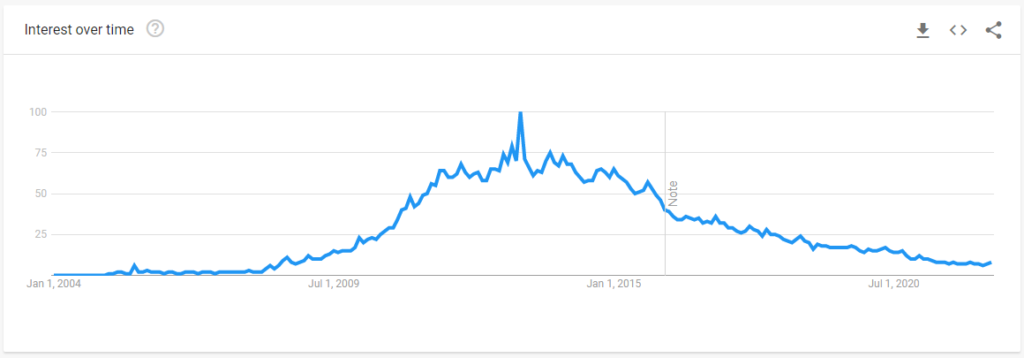
Although it no longer has the initial momentum from when the service first launched, Evernote has maintained its offerings for many years and continues to have a loyal fan base.
How Many Users?
The exact current number of users is unknown, but by 2014, Evernote had already surpassed 100 million users, and by 2021, it was reported to have exceeded 225 million users.
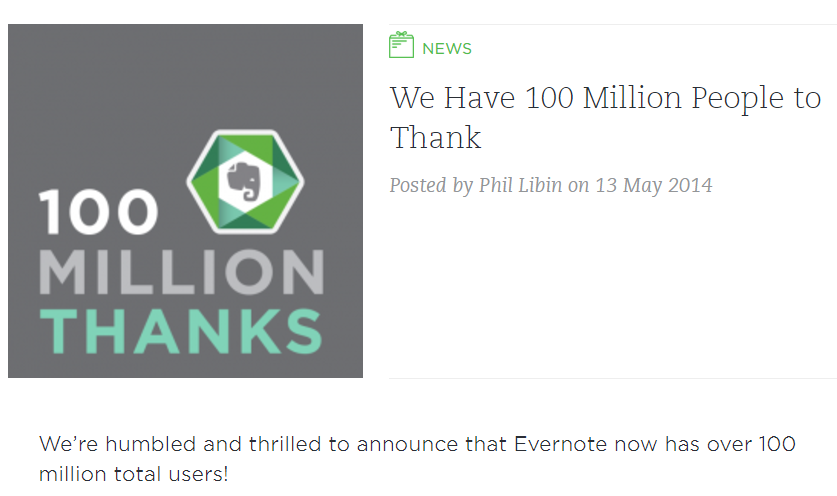
We’re humbled and thrilled to announce that Evernote now has over 100 million total users!
https://blog.evernote.com/blog/2014/05/13/evernote-reaches-100-million-users/
Despite the emergence of subsequent products like Notion, Evernote still retains a strong and loyal fan base.
By the way, tt appears that the blog post mentioned above is currently unavailable or has been removed.
Features
Overview
Evernote provides all the standard features available in many project management tools, along with some unique functions not found in typical project management tools.
- Easily create notes and documents on a PC, smartphone, or tablet
- Quickly create documents using Markdown syntax
- Save articles as notes with the web clipper feature (available as a browser extension on PC or a mobile app)
- Access notes offline
- Organize notes using notebooks and tags
- Manage tasks
- Integrate with Google Calendar
- Scan and digitize documents
Create various types of notes and access them across platforms
Photos, audio, tables, and to-do lists can be easily inserted.
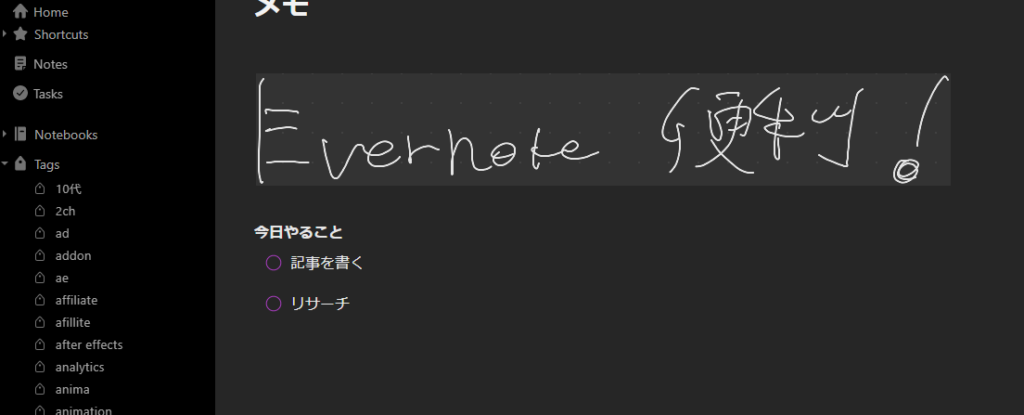
You can also insert handwritten notes, as shown below (I wrote “Evernote convenient” in Japanese, by the way).
Calendar Feature
You can register schedules and use it as a calendar app.
Events you create can be linked to Evernote notes, making it convenient for meeting minutes or journaling.
Here’s what it looks like:
Task Management Feature
The task feature, like the calendar feature, is very convenient. It also includes a reminder function.
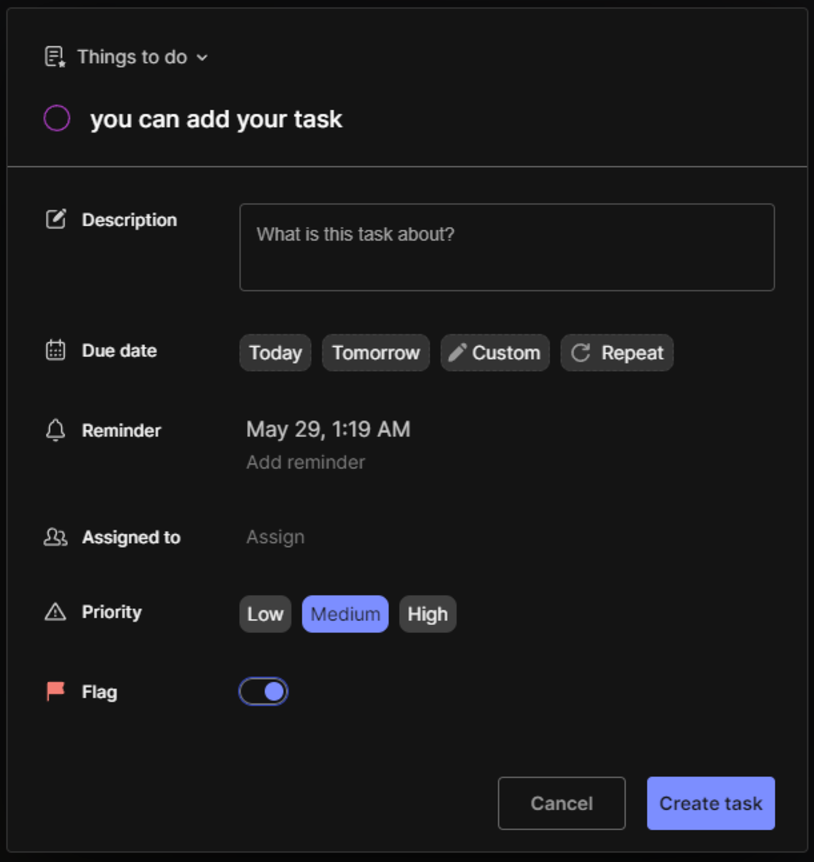
You can register various kinds of information for tasks, such as deadlines, reminder dates, assignees, and priority levels. It’s robust enough for business use.
Is Evernote Slow?
In the past, Evernote’s desktop app had a reputation for being very slow, and there was a time when that was true. However, this is no longer the case. It now runs smoothly and efficiently.
Pricing
Evernote also offers paid plans.
With a paid plan, you can increase the limit on creating notes and notebooks, expand your file upload capacity, and access AI-powered editing and search features.
For more details, please check the pricing page on the official website.


