

What is Airtable?
Hi there, I’m Kota Shimizu, working as a web director. In this article, I’ll introduce Airtable, a no-code tool. Once you get accustomed to its features, you can create a variety of apps, significantly boosting productivity.
Basic Information about Airtable
| Product Name | Airtable |
| Company | Formagrid, Inc. |
| Official Website | https://www.airtable.com/ |
| Launch Year | 2012 |
| Free Plan | Available |
Airtable is a cloud service headquartered in San Francisco.
As outlined on the official website, it allows users to create apps flexibly based on their specific goals.
Airtable enables any team, regardless of technical skill, to create apps on top of shared data and power their most critical and unique workflows.
The world’s largest enterprises use Airtable to build customized connected apps for their most critical and unique workflows — from managing product roadmaps to launching marketing campaigns to tracking job applicants — all on a single platform.
Source : About Us – Airtable (https://www.airtable.com/about)
Airtable is an application that allows you to create databases and link them together to manage tasks and workflows.
It is user-friendly not only for those familiar with databases but also for those who utilize Excel functions such as Lookup to manage tasks or generate reports.
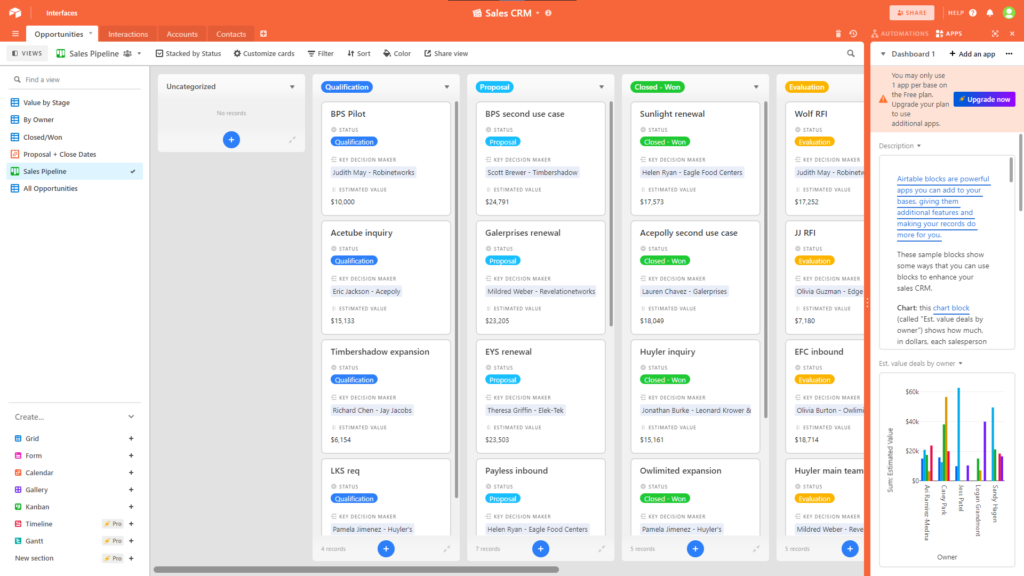
The databases you create can be displayed not only in a table format but also in formats like Gantt charts and Kanban boards.
You may think that it is similar to other Work OS services like monday.com or ClickUp. And in reality, that’s largely true. While the appearance may differ, services in this category generally provide features to create and link databases, aiming to improve productivity.
That said, Airtable stands out for its “database-centric approach.” Unlike other Work OS tools, it excels in data integration and connectivity.
For example, imagine you have three tables: a customer management table, a sales document management table, and a table for sales team members. Additionally, you might have a separate table summarizing sales activity tasks.
With Airtable, you can link information from these other tables to the sales activity task table, creating a user-friendly and highly functional custom view.
In my opinion, while similar capabilities are often available in general Work OS tools, Airtable appears to have an edge in terms of flexibility.
On the other hand, many other Work OS tools seem to excel in areas like document management or whiteboard functionality, which are distinct from Airtable’s strengths in data integration and management.
What Airtable Can Do
Airtable offers a comprehensive range of features commonly found in project management tools, along with robust database and automation functionalities.
Features marked with 🌟 indicate strengths or unique capabilities compared to other tools.
- Create Databases (Create data in a table format, enabling task and project management)
- Specify Field Types (Create custom fields and specify their formats, such as phone numbers or dropdown menus, etc.)
- 🌟 Snapshot feature for managing database revisions and creating backups
- Real-Time Collaboration
- Grid View
- Calendar View
- Gantt Chart View
- Kanban View
- Gallery View
- Timeline View
- Form View
- Dashboards
- 🌟 Automation
- App Integrations
Tables Can Reference Data Between Each Other
Let me explain this with an example from my farming data (though I’m not sure how useful this example will be).
Imagine managing data related to farming with the following hierarchy:
Within a workspace called “Farming Dept” there are two Bases (Base is like Excel file. Airtable calls this Base, short version of database).
One is “Shipment Management” that contains tables for managing shipping data. The other one is “Variety Management” that contains tables for managing crop variety information.
Even if multiple tables are stored in the “Shipment Management” Base, the data in these tables can reference each other.
Furthermore, data from the tables in the “Variety Management” Base can also reference data from the tables in the “Shipment Management” Base.
For example, the table in “Variety Management” might summarize information about the characteristics of each crop variety. When needed, you can pull data about how much of each variety has been shipped by referencing the tables in “Shipment Management.”

Here’s another example.
Imagine there’s a workspace for sales, containing two Bases: one called “CRM”, which stores customer information, and another called “Dept. A Sales management”, which organizes tasks for the sales staff.
If you want to associate customer information with the tasks registered in the “Dept. A Sales management Base, you don’t need to input it manually. Instead, you can pull the data directly from the tables in the “CRM” Base, allowing you to view the necessary information effortlessly.
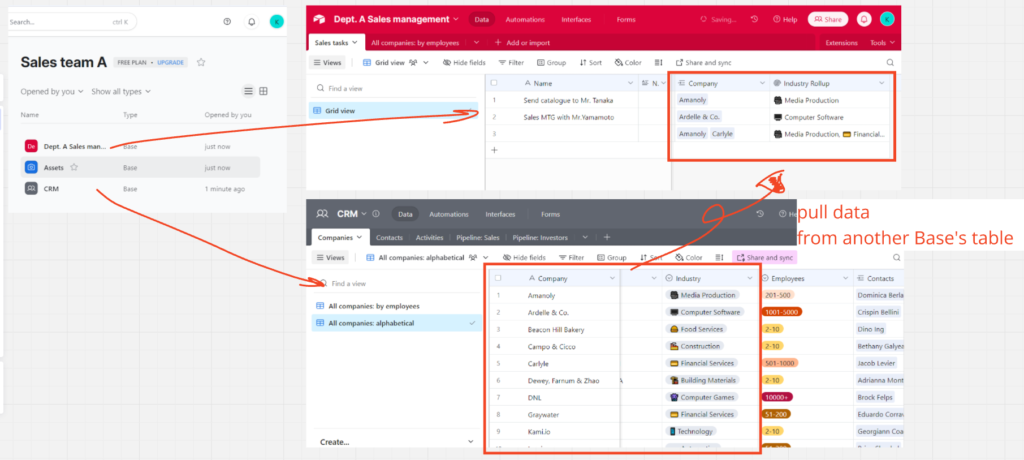
In Airtable, such integrations are possible. It really works as a relational database.
Interface Designer
Another feature of Airtable is the Interface Designer.
In the example above, all data registered in the Table can be accessed. The Interface Designer allows you to filter this data down to what is necessary and customize it into a more user-friendly interface.
Custom-designed interfaces can also be shared externally.
The following example shows a Table for recording shipment quantities by day. The fields have been minimized to only the essentials, making it easier for operators to input data.
Extensions for Enhanced Customization of Features and Appearance
Airtable offers extensions, which are add-ons that allow you to expand its functionality and customize its appearance. These are not available on the free plan, but they can be highly valuable when you want to maximize usability.

Various Views
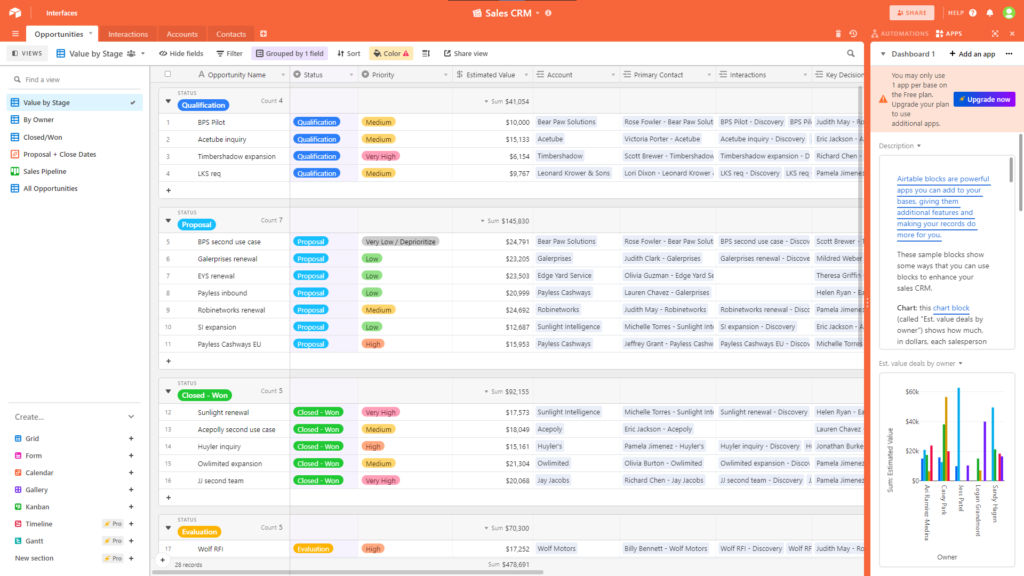
Grid view
The most common style of view.
Kanban view
Calendar view
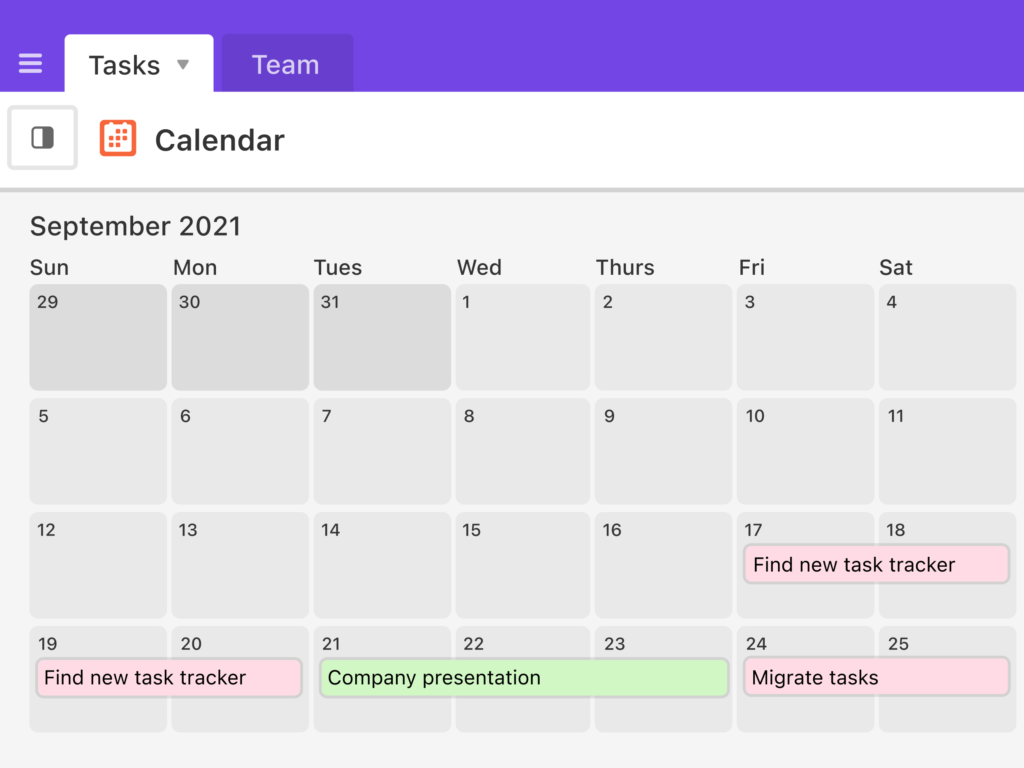
Gantt view
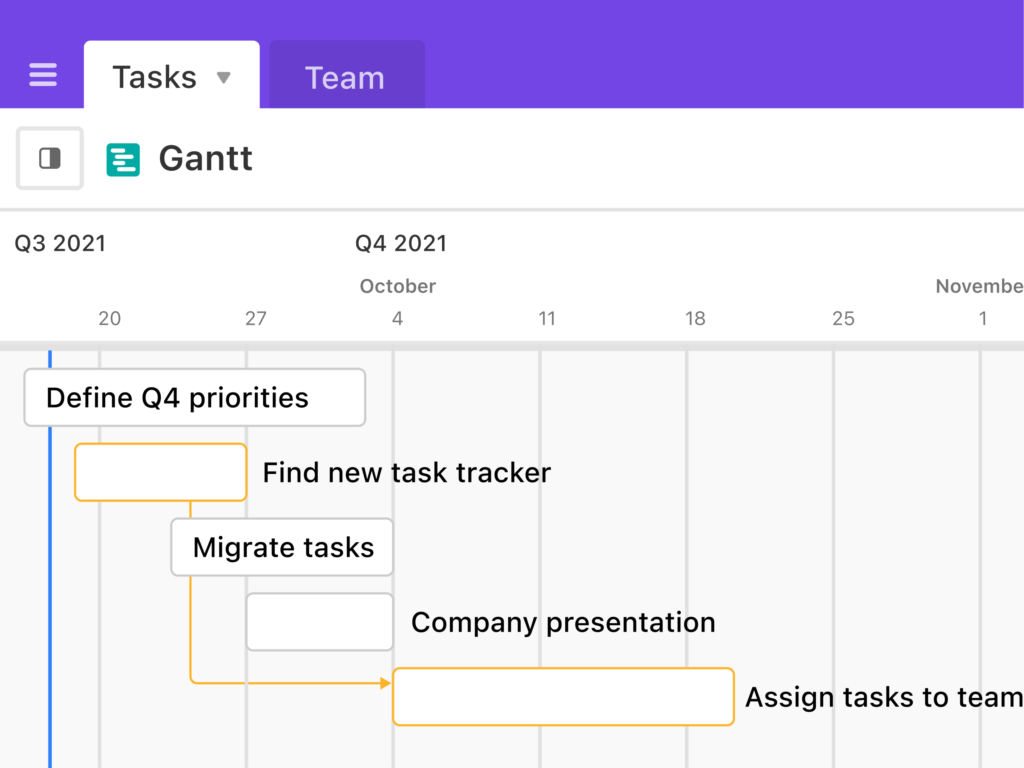
Gallery view

Form view (create forms from registered data fields)

This is a feature that allows you to create forms using database data.
Automation feature
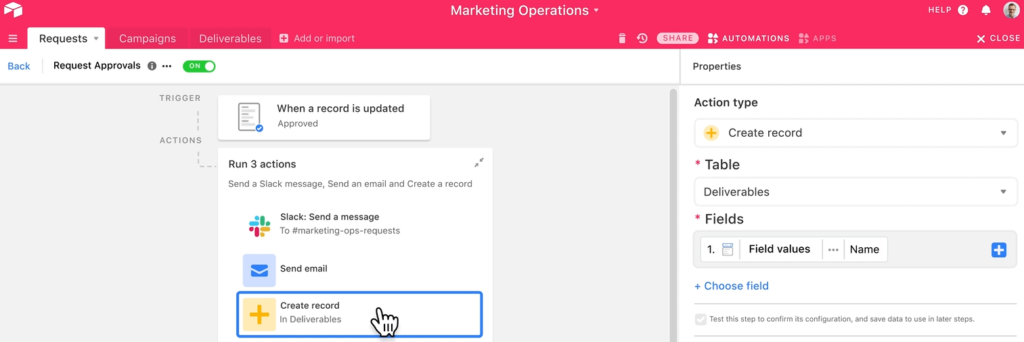
You can create automation programs using a drag-and-drop interface.
Notifications via Slack or email can also be set up easily. It is a great point that you can add multiple Slack workspaces.
Pricing
Several plans, including a free version, are available. Please check the official website for details.


