2024-01-14: With the announcement of “ChatGPT Tasks,” which allows task scheduling, this information has been added.
This time, I made a sumamry of Chat GPT, a text-based conversational generative AI.
What is Chat GPT?
Overview
Chat GPT is a conversational generative AI that uses natural language to provide text responses, generate code, images, videos, and various other types of information through text-based interactions.
OpenAI, the owner organization of Chat GPT, was established in 2015 to engage in AI research. In addition to its flagship GPT series, OpenAI has been engaginn in a wide range of projects, including the image-generator DALL·E and the speech recognition AI Whisper.
Basic Information
| Product name | Chat GPT |
| Company | OpenAI |
| Official website | https://openai.com |
| Product launch | 2022 |
| Free plan | Available |
| Pricing page | https://openai.com/pricing |
Google Trend Insight
Japan

Worldwide

List of Main Features
Basically, it is a system that provides responses to entered text prompt, files, and audio. Since it is in a chat-based format, you can ask additional questions to dig deeper into the output results.
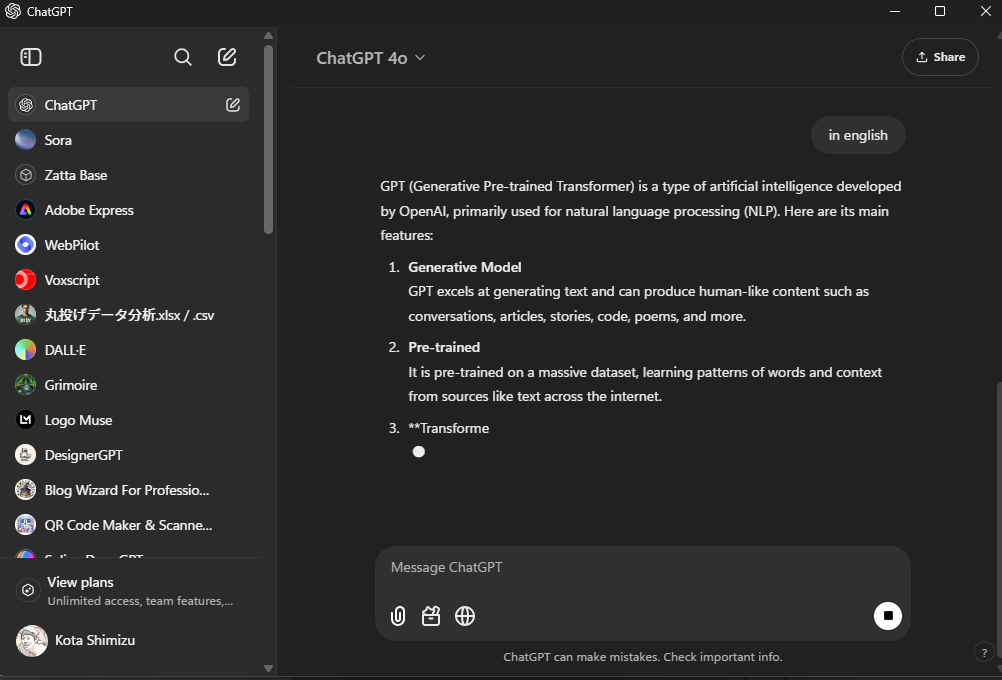
Web search functionality, which was not available at the initial launch, is now usable.
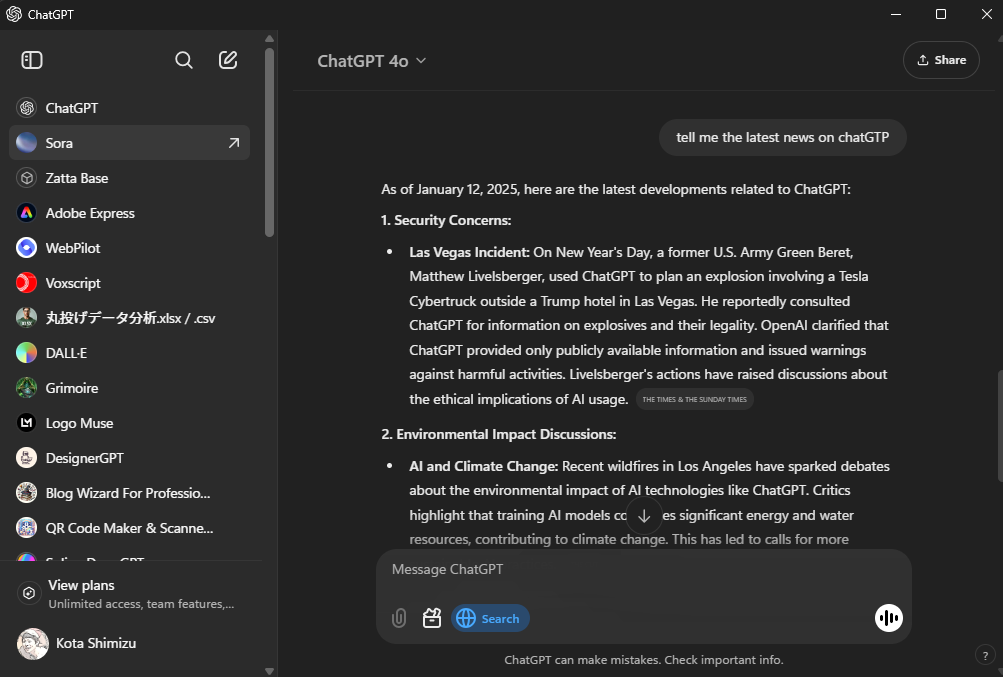
The followings are the major features.
- Text Generation: Generates various types of text based on provided information.
- Answering questions
- Summarizing text
- Suggesting content such as articles
- Proofreading
- Translation
- Composing email replies
- Generates and explains programming code.
- Calculations
- Image Generation and Analysis (DALL·E)
- Web Browsing
- Text File Analysis and Generation
- Voice mode : Voice based interaction
- Custom GPT : Allows users to create personalized GPT.
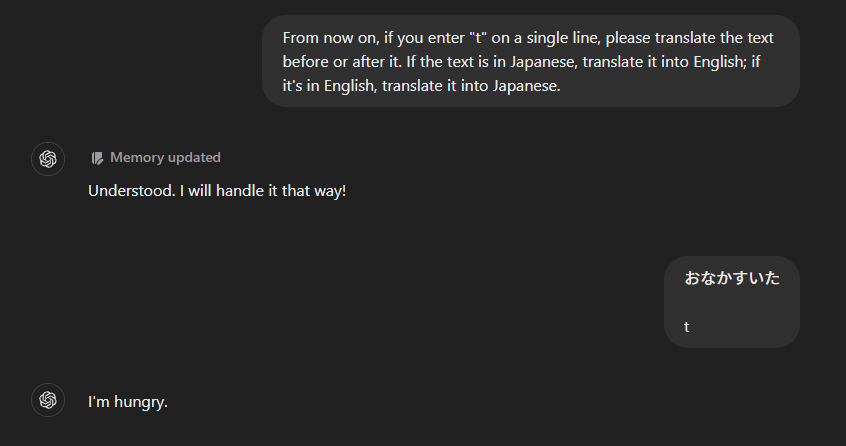
- Memory feature: storing specific information and even assign specific commands for easy recall.
- ChatGPT Tasks : allows the execution of any task at any time. This feature was launched as a beta version on 2025-01-14.
Useful Features and How to Use Them
Custom GPT
Custom GPT is a cusomized version of GPT that includes predefined specific conditions and information, allowing users to create their own GPT. These can be used privately or made public.
This enables users to create GPTs tailored to specific purposes.
Previously, Custom GPT was only available on paid plans, but as of the publication of this article, it is also accessible on the free plan.
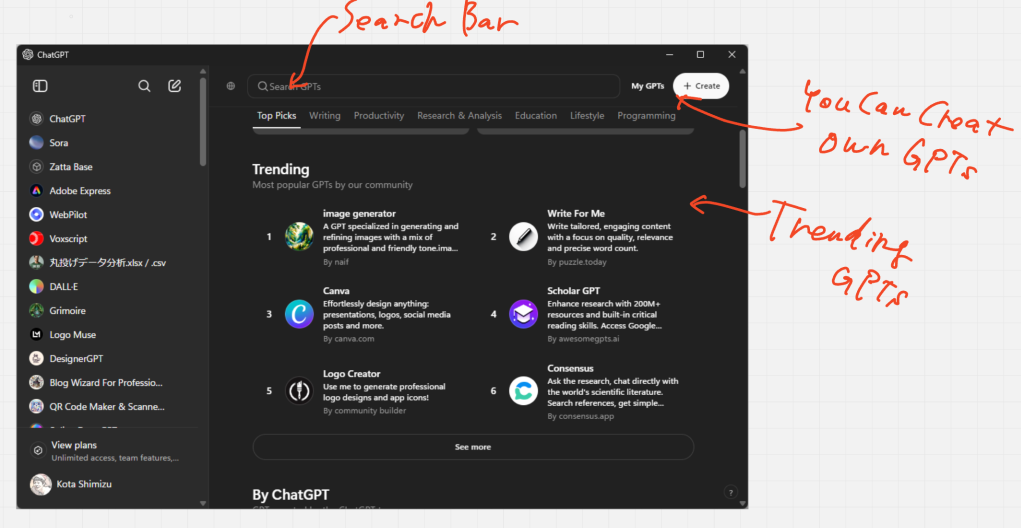
The following types of GPTs are available to the public.
- GPTs specialized in logo and image generation (examples below):
- utilizing the image generation AI DALL-E, available on paid plans.
- integrated with Adobe Express or Canva accounts to generate images (results can be viewed directly on ChatGPT, and clicking them allows for editing in the respective web apps).
- GPTs specialized in writing content.
- GPTs focused on searching for and answering questions about academic books and research papers.
- GPTs dedicated to data analysis.
The list of Custom GPTs can also be displayed by category. Trying out the GPTs in each category will give you a general idea of what kinds of GPTs exist and whether you can create one yourself.
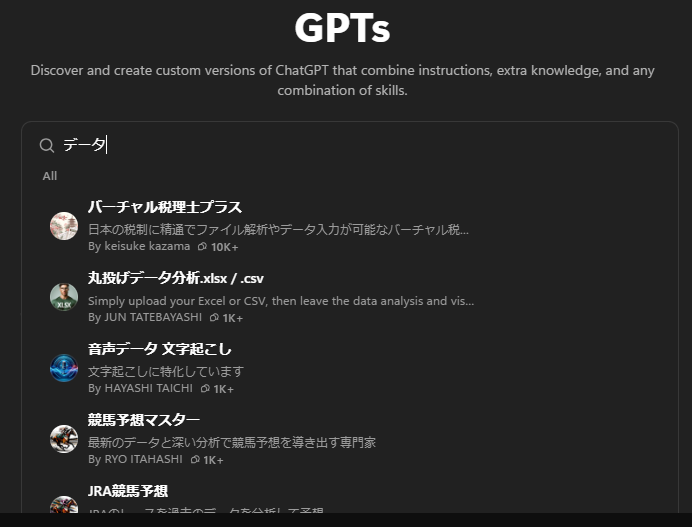
While many Custom GPTs are in English, there are also some developed by Japanese creators. Therefore, be sure to search in Japanese as well (and also, other languages). The image below shows the search results for “data” in Japanese.
You can also use the open-source tool “GPT Crawler” to load any website and create an original wiki.
GPT Crawler is an open-source tool that crawls websites and collects information. This tool gathers data from multiple pages and compiles it into a JSON file.
By loading the JSON file generated from a specific website’s help pages into a Custom GPT, you can, for example, create an interactive wiki for that site.
It’s highly recommended, so be sure to give it a try.
Analysis and Generation of Text Files
Instead of directly entering text, you can upload files for analysis.
While “text files” are mentioned, it’s not limited to .txt files. You can also analyze Office files such as Word, Excel, and PowerPoint, as well as programming-related files like HTML, CSS, and JavaScript.
Additionally, responses can be formatted in specific file types and downloaded.
Below is an example of analyzing and editing a CSV file using ChatGPT. The data is an open data on agricultural production provided by Japanese government After uploading the file, you can request actions like “Analyze this,” “Edit it as follows,” or “Create a chart,” and it will generate appropriate results.
Analyzing and Processing Data by Uploading a CSV File
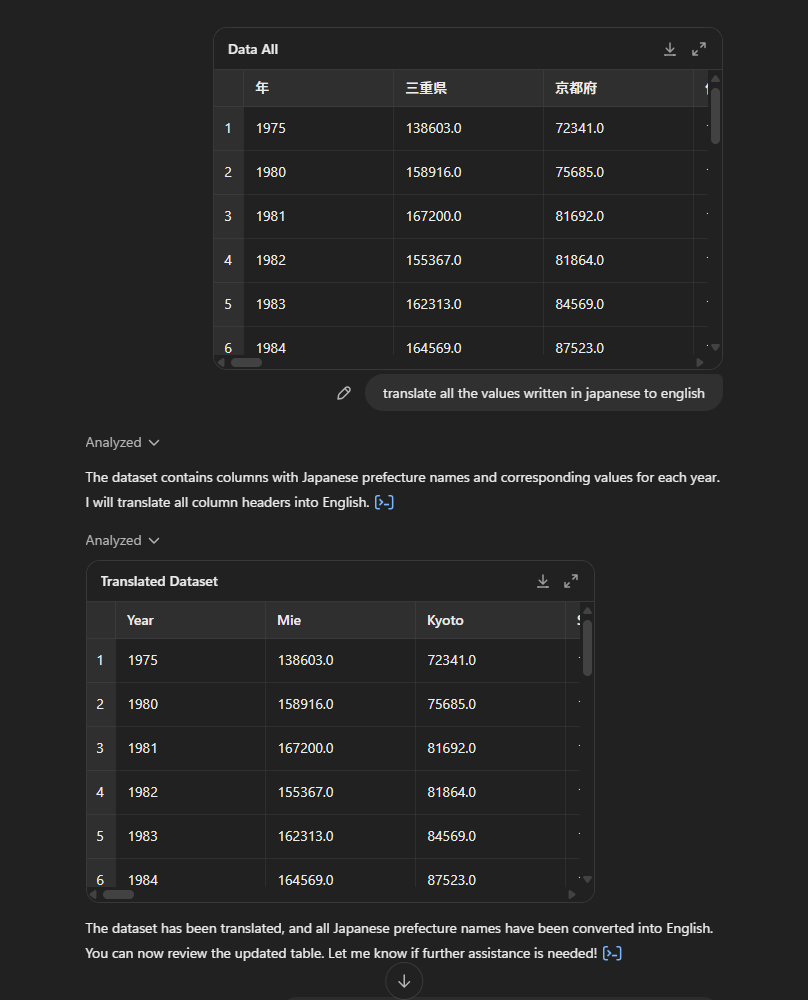
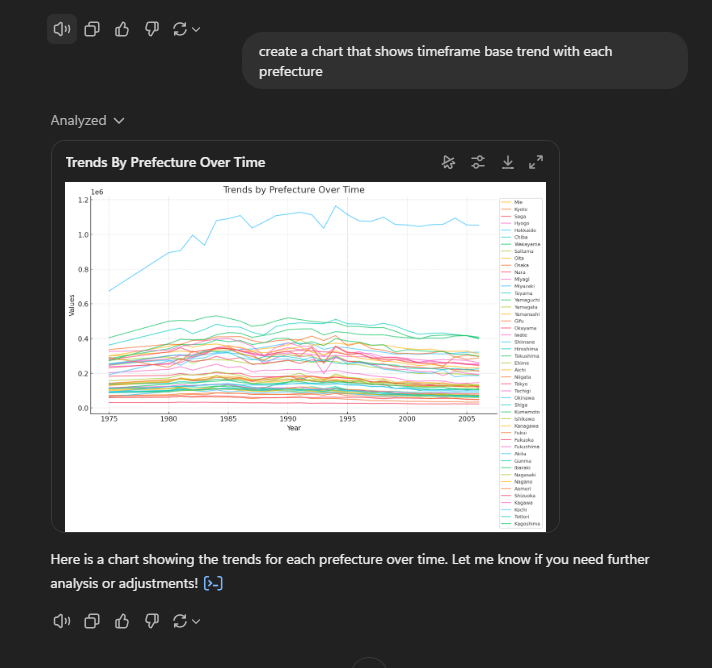
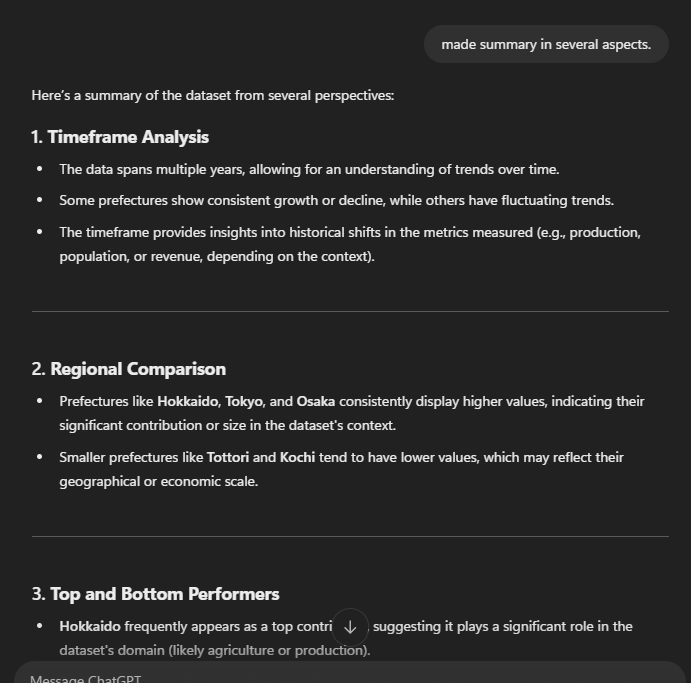
Image Generation – DALL-E
The image generation AI, DALL-E, is available on paid plans.
With image generation feature, you can specify such as:
- Image content (What kind of illustration or design)
- Style (Simple, monochrome, oil painting style, etc.)
- Size (Square, portrait, landscape)
- File format (JPG, PNG, WebP, etc.)
Note that DALL-E only supports three predefined image sizes, so it’s not possible to speficy pixel based size other than below:
- Square (default): 1024 x 1024 pixels
- Landscape (wide): 1792 x 1024 pixels
- Portrait (tall): 1024 x 1792 pixels
I made a video that capture a simple image creation procees.
Assistance for Writing and Coding – Canvas
Canvas is an editor feature that is useful for editing long texts or code.
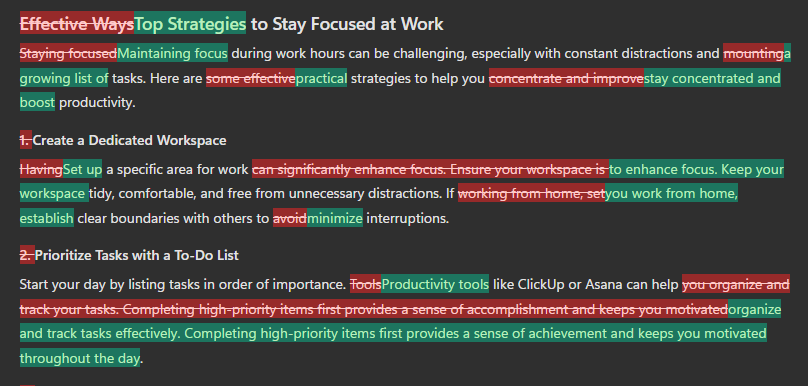
Since ChatGPT is integrated, you can select specific parts to edit and request modifications or completions.

Canvas also offers features for adjusting the level of expression, performing grammar and readability checks, and applying a “final polish” for fine-tuning. These functionalities enhance the accuracy of writing and help reduce the time spent on drafting.

Plase also see the video below to see the “final polish” and “level adjutment feature” applying the entire text.
You can also check the differences from previous versions.
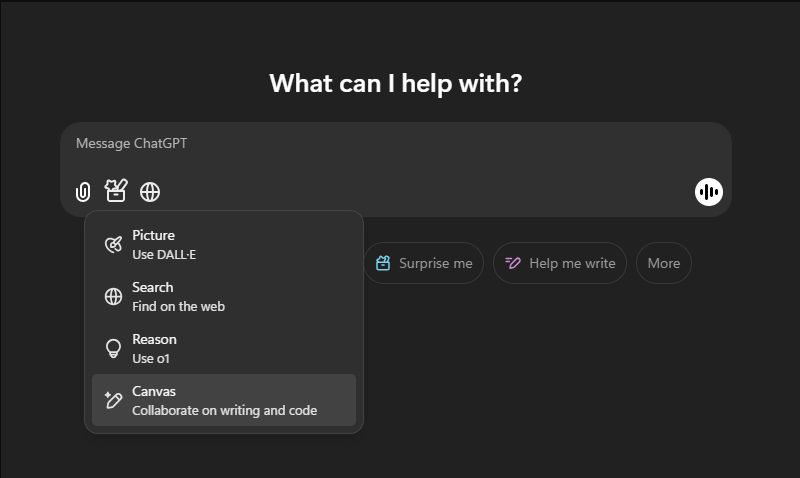
Canvas can be accessed via the toolbox icon in the bottom-left corner of the input field. You can access it either when starting a new chat or after a chat has begun.
Voice Interaction – Voide mode
ChatGPT supports voice interaction called Voice mode.
Voice mode is convenient when your hands are full, such as when walking, driving, or cooking.
It’s also great for passing the time.
However, if you’re moving at high speed, network issues may cause interruptions or disconnections in the conversation.
You can access Voice mode by clicking the voice icon in the bottom-right corner of the input field.
Memory feature
You can store any information you need.
For example, you can save templates like a company profile, mandatory text for article creation, or code snippets. Additionally, you can link specific commands to custom keys for quick access.
Task Feature: ChatGPT Tasks
Released as a beta version on January 14, 2025, this new feature allows users to execute specific tasks at designated times. Notifications are sent to your smartphone when tasks are executed.
Currently, this feature is available only to Plus and Pro plan users, but it is expected to be rolled out to all accounts in the future.
Both the official OpenAI X (formerly Twitter) account and engineer Karina Nguyen’s X posts have introduced how to use the task feature along with practical examples.
On OpenAI’s official X account, the task feature interface is demonstrated in a video:
In chat or through the tasks page under the profile menu, you can schedule tasks you want ChatGPT to do, such as send you a weekly global news briefing, get a daily personalized 15-minute workout, or set a reminder for the future. pic.twitter.com/RC0GkhcbNR
— OpenAI (@OpenAI) January 14, 2025
Karina introduced the following usage examples in her video:
- Check specific stock prices every morning.
- Write a science fiction story in Canvas every morning.
- Introduce a new Spanish word each morning.
- Search for AI-related news headlines every morning (search results also include links to source articles).
- Create Python programming challenges in Canvas every morning (shared as an example for preparing for exams).
You can watch the video on Karina’s X account.
4/ If you have upcoming interview or a programming exam you can delegate ChatGPT to come up with new puzzles to solve to become better at it in Canvas! pic.twitter.com/o1YrZmSJm5
— Karina Nguyen (@karinanguyen_) January 14, 2025
In Karina’s X post, she introduced the use case of “searching for the latest AI-related information.” Additionally, you can specify tasks like “search for Japanese articles about AI.” You can even request links to those articles, although the results might not always reflect the most recent updates. Regarding the search result about Japanese articles, the accuracy is generally high but not guaranteed to be 100% precise.
How would you use this feature?
Here are some tasks I requested:
- Summarize global and Japanese news, suggest a song for a break, and share a quote from a famous figure.
- Provide summaries of AI-related news in Japan and worldwide.
- Show the day’s trending custom GPTs.
- Share creative ideas.
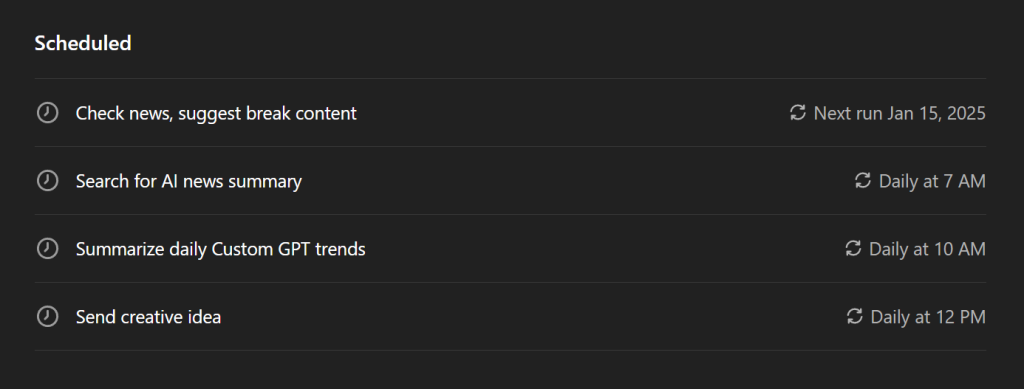
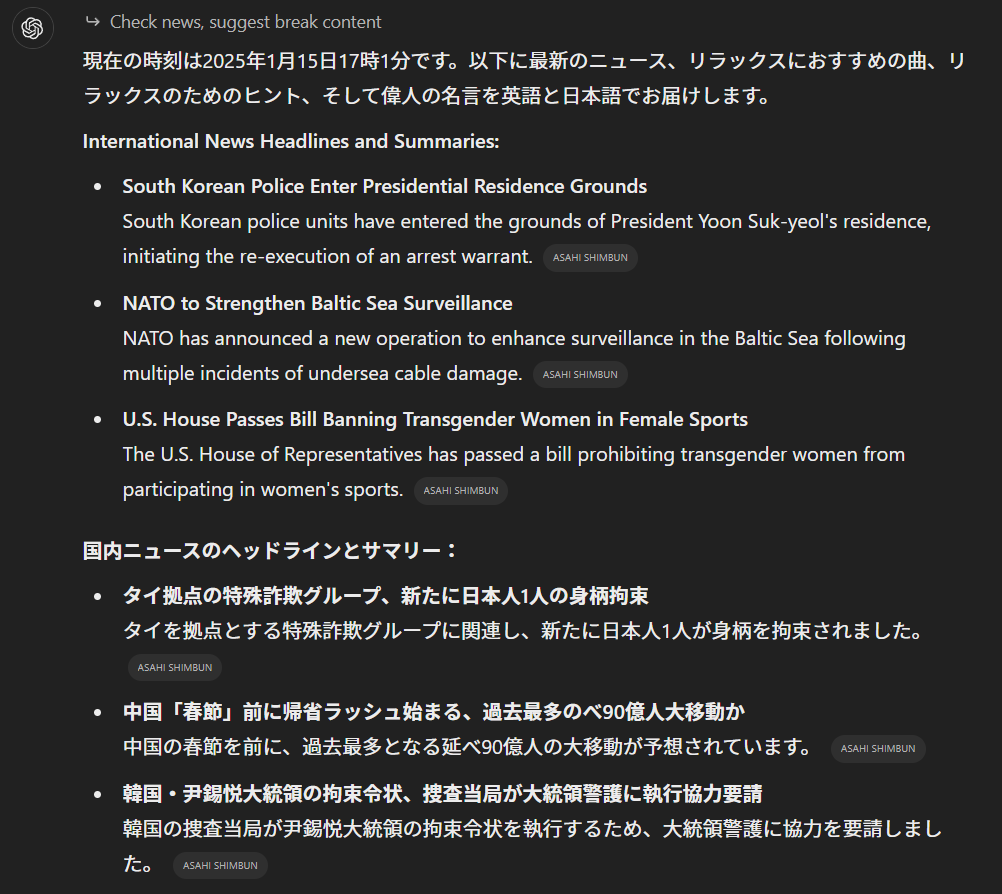
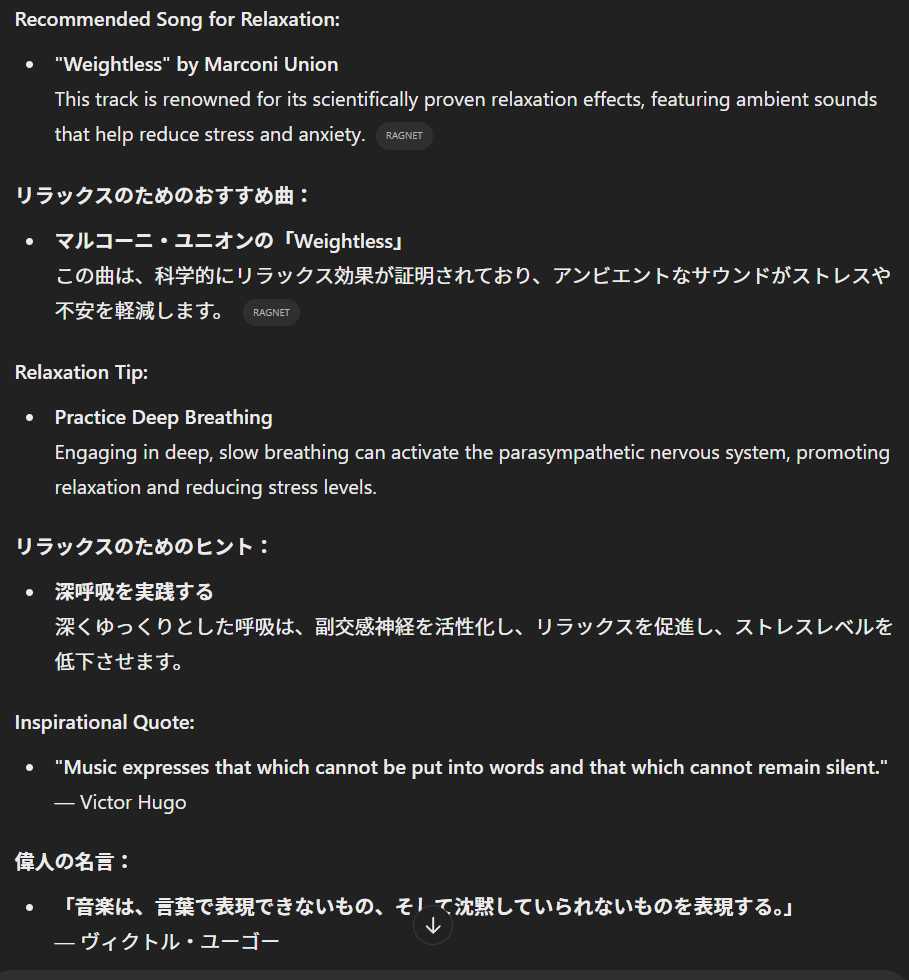
It also told me about the weather in Tokyo’s Edogawa Ward for some reason, even though I live in a totally unrelevant place (lol).
The task feature can be used by setting the model to “GPT4 with scheduled tasks.”
When you input something like “Execute this at [time],” the task will be registered. You can check and edit registered tasks by clicking the profile icon in the top-left corner.
Additionally, if you choose the “Custom” option for time settings, you can assign multiple times to a single task. For instance, you could set it to “every day at 12 PM and 5 PM.”
By entering a prompt like that, ChatGPT will automatically register the custom settings for you.
However, when you check the custom settings, they explicitly list the date and time. Therefore, it’s unclear whether the task will continue to execute at these times indefinitely.

About Security
ChatGPT shows the following statements regarding the handling of business data (input and output data).
Trust and privacy are at the core of our mission at OpenAI. We’re committed to privacy and security for our ChatGPT business products and our API Platform.
Source : Enterprise privacy at OpenAI | OpenAI (https://openai.com/enterprise-privacy/)
In the same page avove, for the mentioned plan, it is also stated that “We do not train our models on your business data by default”.
On the other hand, this does not apply to personal plans such as the Free Plan or ChatGPT Plus.
However, you can turn off the “Improve the model for everyone” setting. This can prevent your data from being used for model training.
Additionally, if you turn off the previously mentioned Memory feature, your inputs and outputs history will no longer be saved.
Review these settings as needed.
Regardless of the settings, avoid entering highly sensitive information.
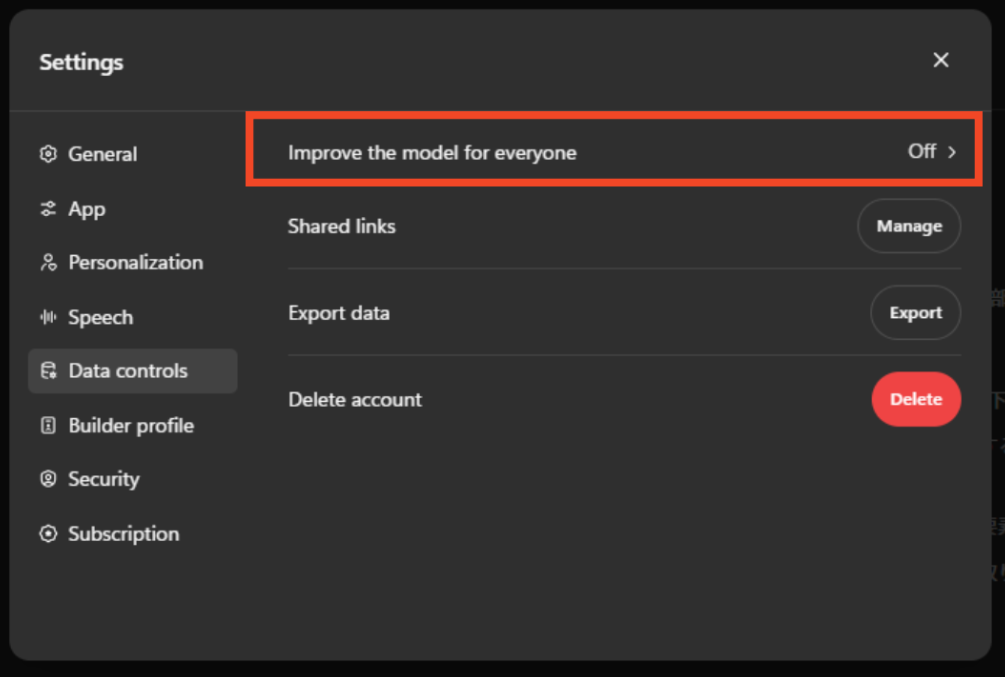
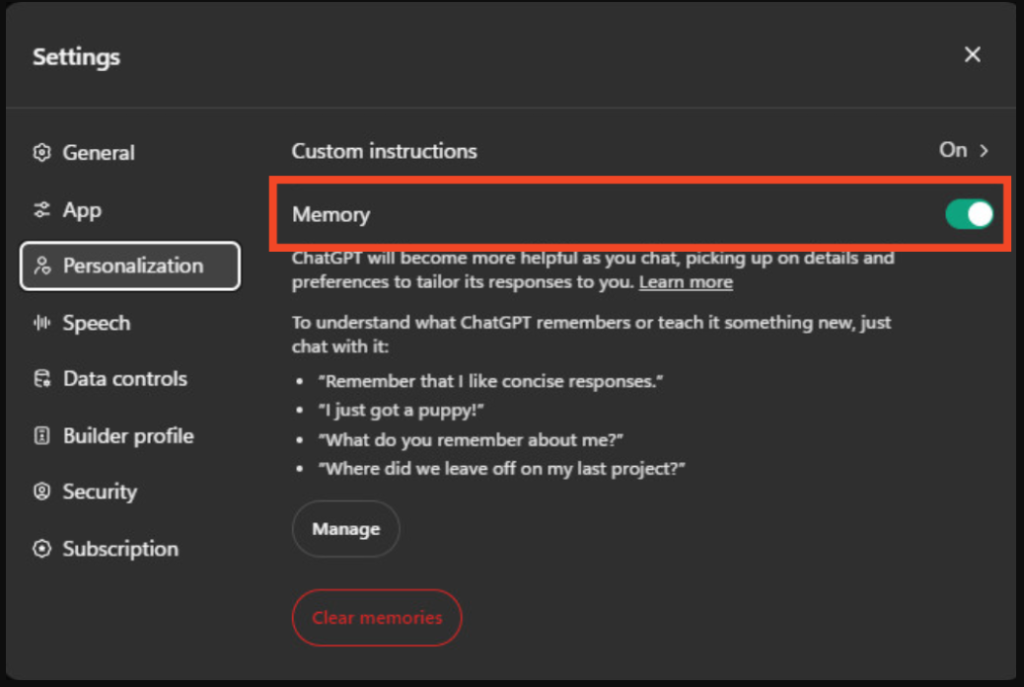
Also, please be carefull when creating a Custom GPT. You can register cutom information and settings for a Custom GPT by your own. So, be careful not to input or upload sensitive information.
This is particularly important if you plan to make your Custom GPT publicly available.
About Plans
ChatGPT offers plenty of features even on the free plan. Some features that were previously available only on paid plans have now become accessible.
On the other hand, paid plans provide access to convenient features, new models, improved speed, and higher usage limits. Find and choose a plan that best suits your needs.
You can compare plans and features on the official page here.
ChatGPT Pricing | OpenAIhttps://openai.com/chatgpt/pricing