
What is Asana
Hi, I’m Kota, a director of web development, designing, and marketing.
In this article, I would like to introduce ASANA, which is used not only in Japan but also around the world as a project management tool.
At the time I’m writing this article, Asana is available in the following languages:
English, Traditional Chinese, Russian, Dutch, Polish, Italian, Swedish, Korean, French, German, Portuguese, Spanish, and Japanese.
Since you can use Asana in Japanese, this app is used in many companies in Japan.
To me, I’ve been using Asana since around 2014.
Basic Information of Asana
Asana was founded in 2008 by Dustin Moskovitz, co-founder and head of technology at Facebook, and Justin Rosenstein, a software engineer. The service itself was started from 2012.
These days, the market of project management software is highly mature. In this market, I think that Asana is one of the pioneer software and now has a relatively long history.
With its user friendly UI, you can use this app intuitively without deeply reading the help pages.
In Asana’s product page, there is a message in which you can see their passion to their product.
The only work management platform built for scale
With Asana, you can set company-wide goals, manage strategic plans, and get work done on a single platform.
Source : Asana Work Management – Features, Uses & Product • Asana (https://asana.com/product)
Free plan
Asana has their free plan called “Personal”.
Even with the free plan, they provide enough features that an individual or small team can benefit from it.
In fact, I have used the free plan for projects with a small number of people.
What Asana can do
Task management
You can create tasks and apply assignees, priority, start date, due date, etc.
There days, there are so many cloud based (so called SaaS) project and task management software, but, in my opinion, Asana is one of the pioneer in this field. Besides, although their service launch year was 2012 and have passed years since then, the number of their user is still high in volume, which means they have keep attracting their users.
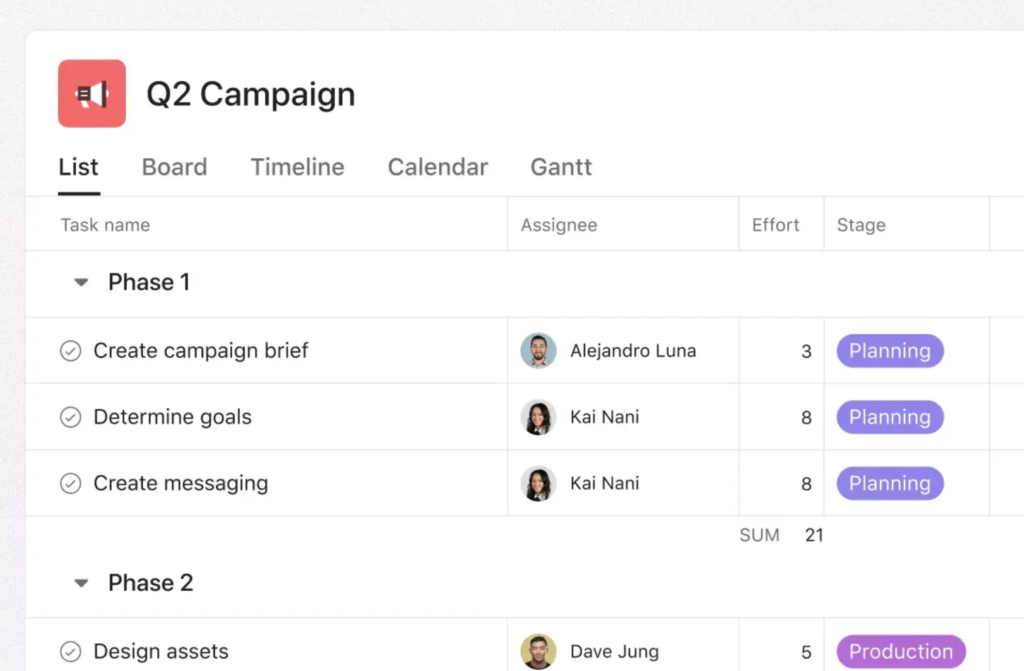
The tasks you create can be displayed in several formats such as list, board (kanban), calendar, etc.
Switching view format is now a common feature, but I remember that at the time I started using Asana, I was impressed this feature. This really helped to manage my tasks.
a list or in a board (kanban) format, depending on your purpose. This view switching is now a common feature, but I remember how impressed I was when I first started using it. In particular, the ability to switch between list, board, and calendar formats was very useful for managing tasks.
There are also useful features such as hierarchical structure task management, leaving comment, template, workflow automation, goal setting, reporting, etc.
Project Management
Asana allows you to create multiple projects and manage tasks within them.
The hierarchical structure for managing tasks consists of workspace, project and task.
As an example of usage, suppose there is a workspace called “Promotion of Product A” that has projects called “Web production” and “Marketing initiatives,” and each task can be managed within theses projects.
Now, the tasks you create can be displayed in a variety of formats to help you keep track of the progress of that project.
Switching views is a common feature now, but at the time I learned about it, it was so useful and impressed me.
Let’s see what views available.
List view
Board view
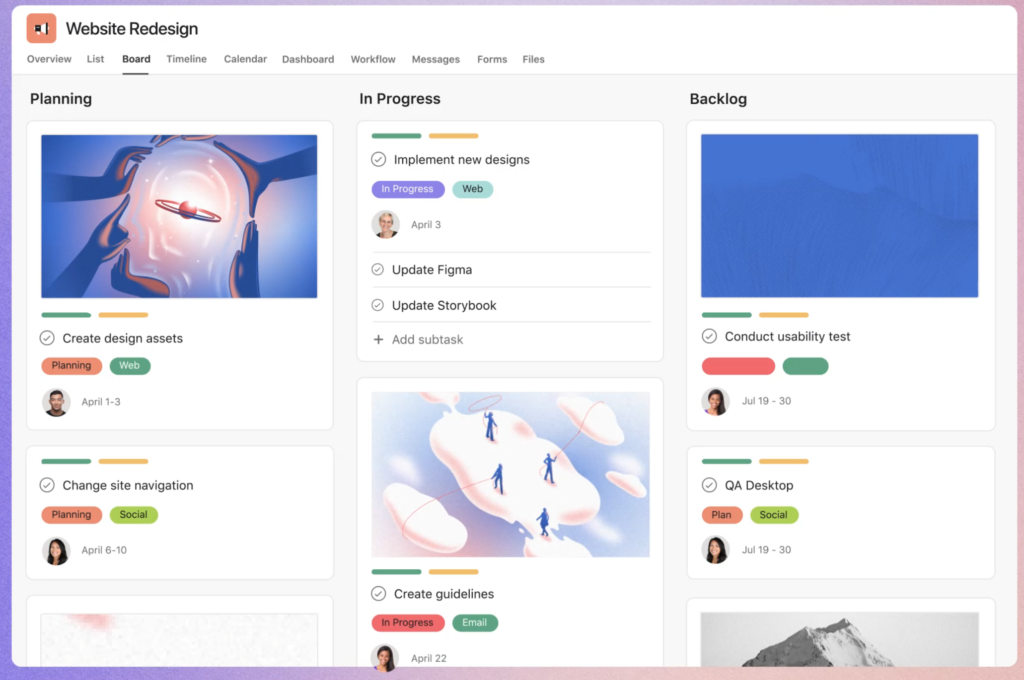
Board view is also called Kanban because it is shaped like a card or a signboard as shown above.
Trello is also famous for task management using Kanban.
Kanban is a Japanese word means signboard. Generally this word is know for a production management system.
Calendar view
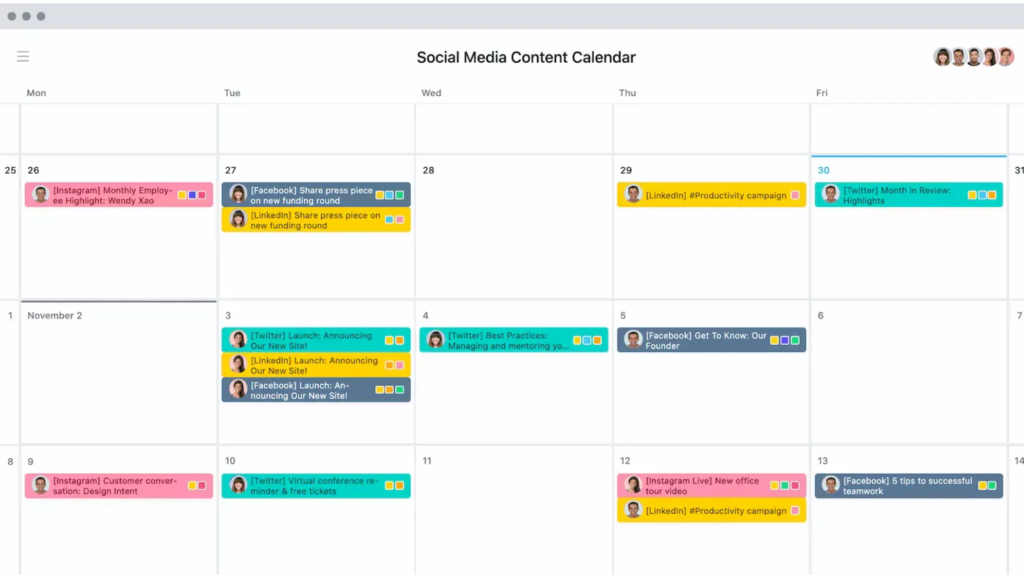
Tasks can also be displayed in calendar format as shown above. This is useful when you want to check the start and deadline dates of tasks from a bird’s eye view.
These tasks can also be synchronized to Google Calendar!
Timeline view
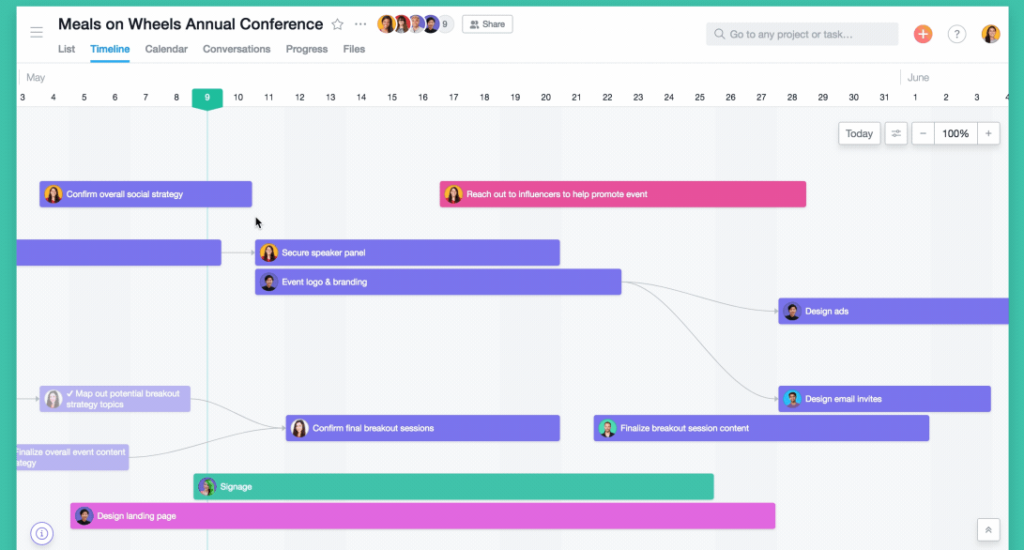
出典 : 成功するマーケティングキャンペーンを計画、管理する方法 | 製品ガイド • Asana 製品ガイド
The Timeline view is similar to a Gantt chart.
It is useful for understanding the flow of tasks throughout the project from a more bird’s eye view than the calendar view.
The icons of the assignees are also displayed, so you can see at a glance who needs to do what and when. I think the timeline view was introduced a short time after the service was launched, which was also impressing.
In Asana, this timeline is considered as Gantt chart.
Those who are familiar with traditional Gantt charts, such as Redmine, may be confused at first, but they will soon get used to it.
Asana has released their Gantt view in September 2023!

Gantt view
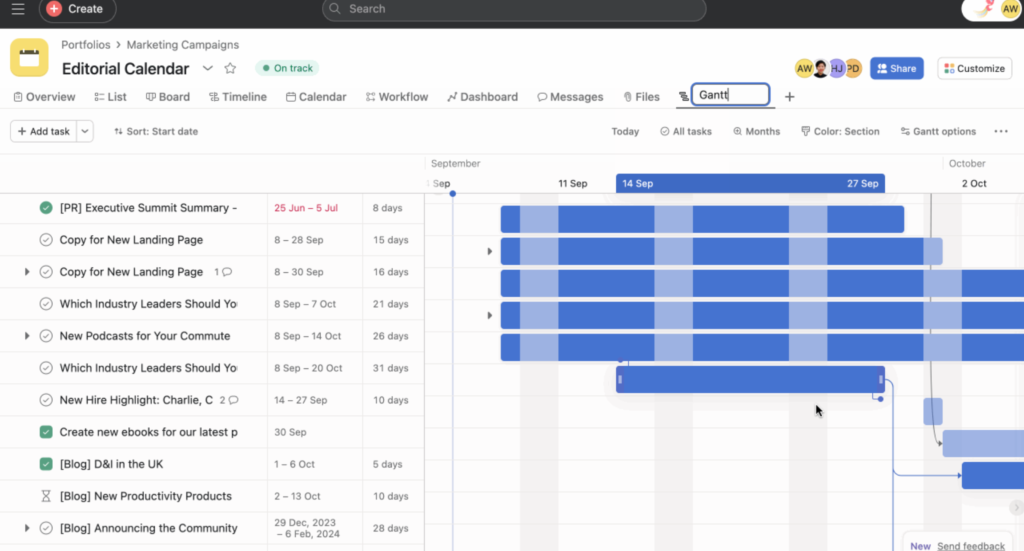
Asana had been providing Timeline view as their Gantt chart feature but they have launched typical styled Gantt view in September 2023! Now you can manage tasks and progress with more organized way.
Manage project and task progress with reports

Asana automatically visualizes the data registered in the tasks. It visualizes varieties of data such as the amount of tasks by status, categorization of tasks, and the amount of tasks by assignee, etc.
It can be used, for example, to understand who is overloaded and to consider how tasks should be assigned.
Cute animations shown when a task done!!
Asana shows various animations when tasks are completed. This is cute.
It’s just a little effect, but it will make you want to press the task completion button, so I am sure that this effect will motivate you to finish the task, at least a little bit.
And much more
Asana also offers other features such as time tracking, which allows users to record the time spent on a task, integration with other applications, and recently, task automation.
Since iOS and Android applications are also provided, the service can be used on any device.
If you are not satisfied with your current project management tool, or if you want to streamline task management as part of your DX promotion, why not try the free plan first?
The UI is also gentle and beautiful.


