What is Pocket?
In this article, I’ll introduce Pocket, a well-known web clipper.
Pocket is a service that lets you save articles from the web, highlight text, and even listen to them on your smartphone. Sharing articles is also easy.
Basic Information
| Product Name | |
| Company | Mozilla Corporation |
| Official Website | https://getpocket.com/ja/ |
| Launch Year | 2007 |
| Free Plan | Available |
Overview
Pocket is a bookmark service that allows you to save and organize articles from the web and easily share them. Not only can you save articles, but you can also highlight important sections within the article, share those highlights (as well as the entire article), and even listen to articles via the mobile app.
The service was launched in 2007.
At that time, web clipping services were starting to appear, and Evernote was also being used (and still is) as a web clipper.
For more information on Evernote, please refer to this link.
Evernote – The Long-established Note-taking App
https://productivego.space/en/about-evernote
It’s now possible to clip articles using a browser extension, but it’s nostalgic to think that back in the day, services like this used bookmarklets—small JavaScript programs.
Many bookmark services from that era have disappeared, but Pocket survived the bookmark service warring states period and continues to be widely used by many users today.
During its growth phase, it raised $2.5 million in 2011 and $5 million in 2012.
In 2017, Pocket was acquired by Mozilla Corporation, the developer of the Firefox web browser, and was integrated as a feature into the browser. As a result, Firefox now has a built-in feature to save to Pocket by default.
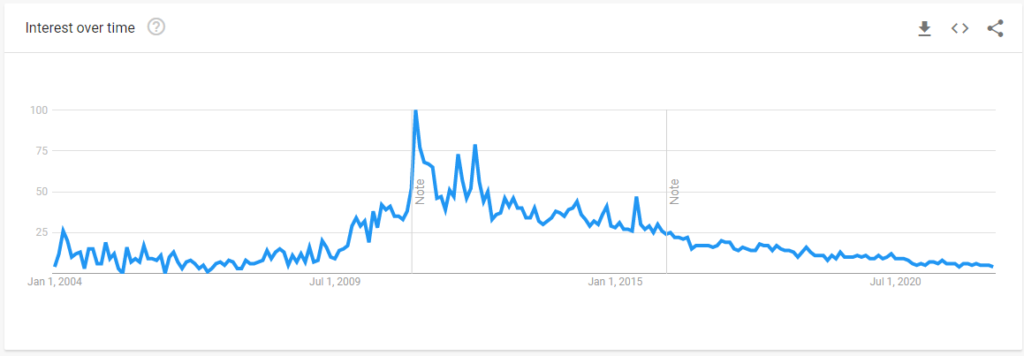
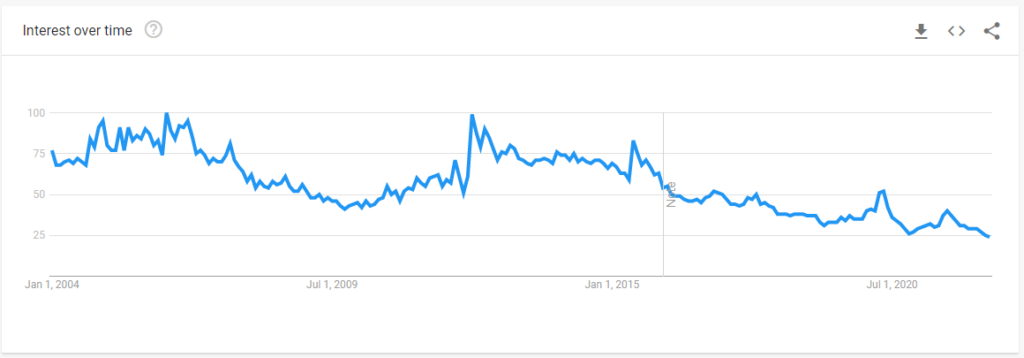
Google Trends Data
Japan
Worldwide
Use Extensions and Apps
Pocket offers a Chrome extension and smartphone apps. By installing these, you can easily access Pocket’s features.

What You Can Do
Overview
- Save web pages (not just bookmarking the URL, but extracting the page itself and saving it to Pocket)
- Add tags to categorize saved pages
- Highlight text on saved pages (draw a line like a highlighter)
- Share saved articles and highlights
- Listen to saved articles using the mobile app
Bookmark and categorize web pages
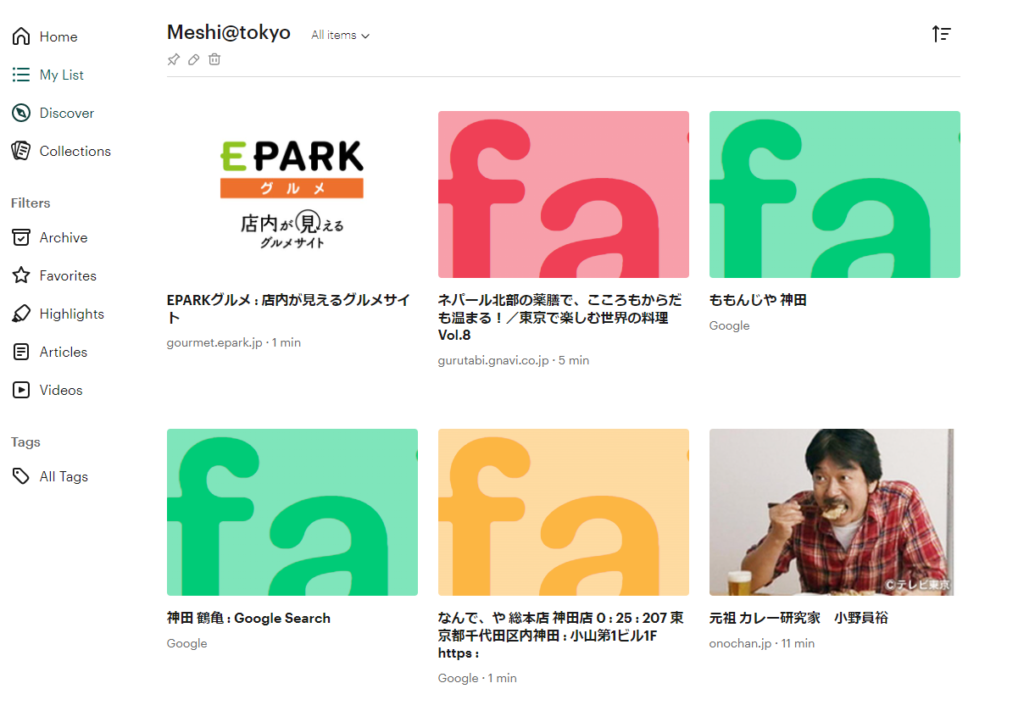
You can add tags to saved articles or create custom groups called “Collections” to organize them.

You can highlight articles and share them (video available)
One of Pocket’s convenient features is the ability to add highlights to saved articles. You can mark specific parts of the text.
You can view all your saved highlights, jump directly to highlighted sections, or share the highlights with others.
Saved articles in Pocket are stored primarily as text information. Highlights can be made on the saved text.
To access the original article, click the “View Original” link.
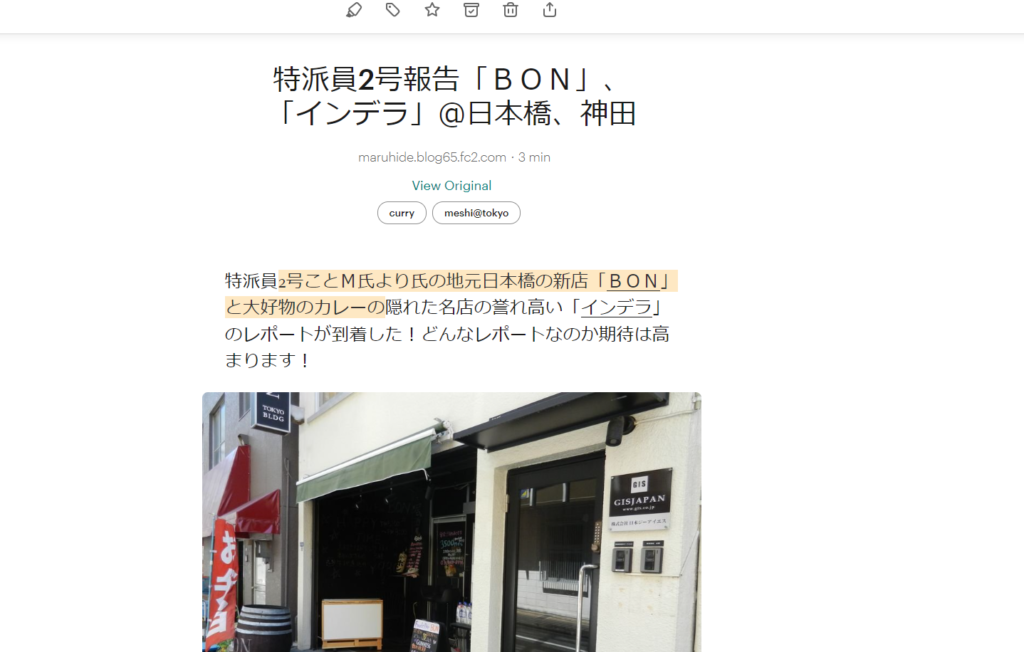
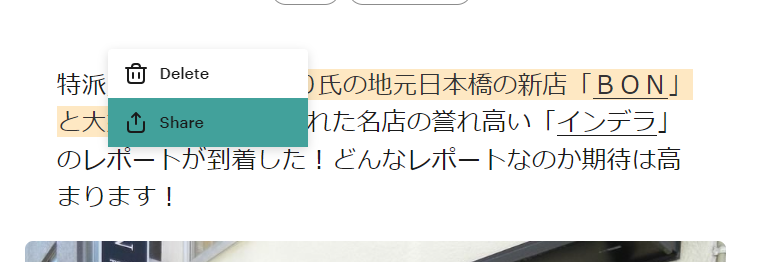
For example, you can highlight text and share it.
Listen Feature: Listen to Articles on Your Smartphone (Video Available)
Another great feature of Pocket is listen-to-article feature for saved articles.
This feature is available in the smartphone app.
You can listen to English articles without feeling any awkwardness, and even for Japanese articles, the pronunciation is clear enough to listen to comfortably, which makes it very convenient.
Moreover, this feature works even if you lock your smartphone, playing in the background.
You can also adjust the reading speed.
To start the listen feature, simply click on the headphone icon.
Articles You Might Be Interested in Are Displayed
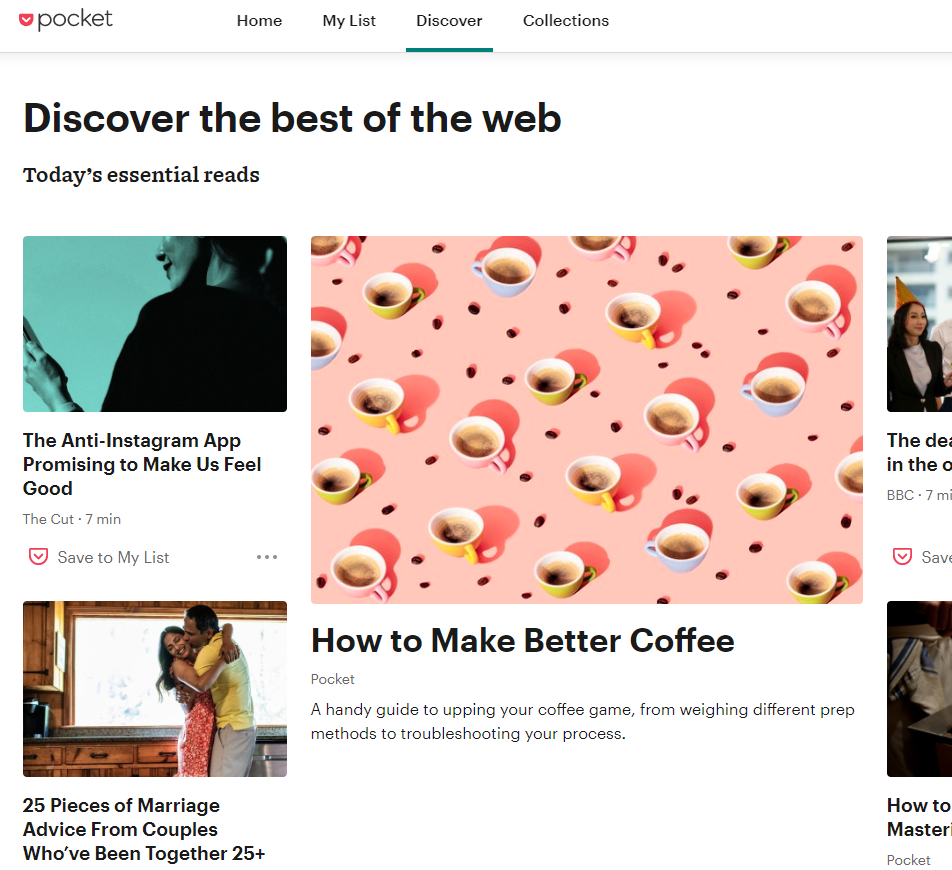
Pocket has a “Discover” tab, where articles that you may get interested are displayed. However, this feature seems like only available in English, and it doesn’t always show articles that are closely related to your interests, so I hope for improvements in the future.
It would be great if the article display accuracy could reach the level of major news app…
Articles May Not Always Be Saved as Text
Basically, when you save articles in Pocket, they are stored as Pocket-specific text information separate from the original article. You can highlight this text information and use the listen-to-article feature.
However, there are cases where only the link to the original article is saved. This seems to happen when Pocket does not recognize the page as an article.
For example, this can occur if the page you want to save is a homepage (landing page), a PDF, or if some program interferes with the process.
My Usage
In reality, for the purpose of saving web articles, I now mainly use ClickUp or Notion.
However, in the past, I would save any interesting articles to Evernote or Pocket without hesitation.
But since Pocket added the listening feature and highlight features, I am now thinking about reconsidering its effective use. I especially find the listening feature to be quite convenient.
Related Article
ClickUp – A Rising Work Management Tool with Continuous Feature Additions
https://productivego.space/en/about-clickup/
Related Article
Notion – A Versatile Work OS That Can Replace Multiple Tools
https://productivego.space/en/about-notion/
Twitter also uses Pocket’s API
I didn’t know this.
Some applications, such as Flipboard, Google Currents, and X (formerly Twitter), use Pocket’s application programming interface (API).
Source : Pocket (service) – Wikipedia (https://en.wikipedia.org/wiki/Pocket_(service))
Pricing
Pocket is available for free, but a paid version is also offered.
At the moment, the free version seems sufficient in terms of functionality, but for large-scale research purposes, the highlight feature is quite handy. So, if more research-related features are added, the paid version might be worth considering.
Please check the official website for the latest information.
| Free Account | Annual Membership | Monthly Membership | |
|---|---|---|---|
| Overview | Save, view, and listen | – Save, view, and listen – Library for permanently saving content – Suggested tags – Full-text search – Unlimited highlights – Premium fonts | – Save, view, and listen – Library for permanently saving content – Suggested tags – Full-text search – Unlimited highlights – Premium font |
| Price | $0 | $44.99/year | $4.99/month |
| Note |
Interested in Pocket? You might also be interested in this
Although there isn’t an article on ProductiveGo yet, there is a Chrome extension called Weeva.
This extension allows you to highlight text on web pages or PDFs. Not only can you add notes to the highlights, but you can also organize them into folders or categories, and even collaborate with others. It’s a tool that goes a step beyond Pocket’s highlight feature.
It seems to have been developed to help make research more efficient.
It’s a useful extension, so be sure to check it out.